36
---------------------------------------------------------------------------------------------------------------------------------------
--------
C
EcubWare installation and instructions
EcubWare Settings
--------------------------------------------------------------------------------------------------------------------------------------------
③
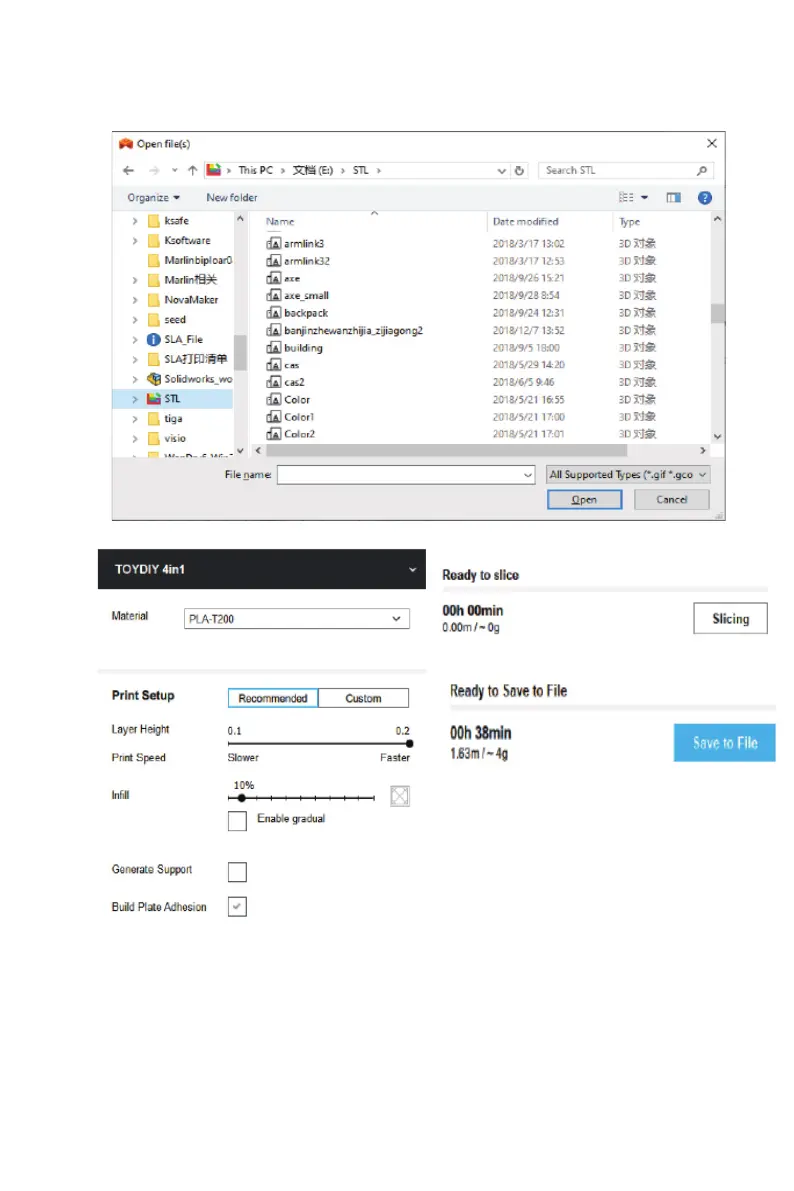
Adjust the model and parameters
Note:
Saving a Gcode must have to use English name. 0
④
Click the "slicing" button to slice. Then, save the generated Gcode le into
the SD card. Now it's ready to print with TOYDIY 3D printer.



 To Next Page