C
EcubWare installation and instructions
---------------------------------------------------------------------------------------------------------------------------------------
--------
37
EcubWare Settings
--------------------------------------------------------------------------------------------------------------------------------------------
(2)FDM_Multi-Color 3D print
Applicable Toolhead: FDM-Dual Toolhead
FDM_Multi-Color 3D print means those two laments are the same material but
different color, the material parameters and printing conguration are the same way
to print.
①
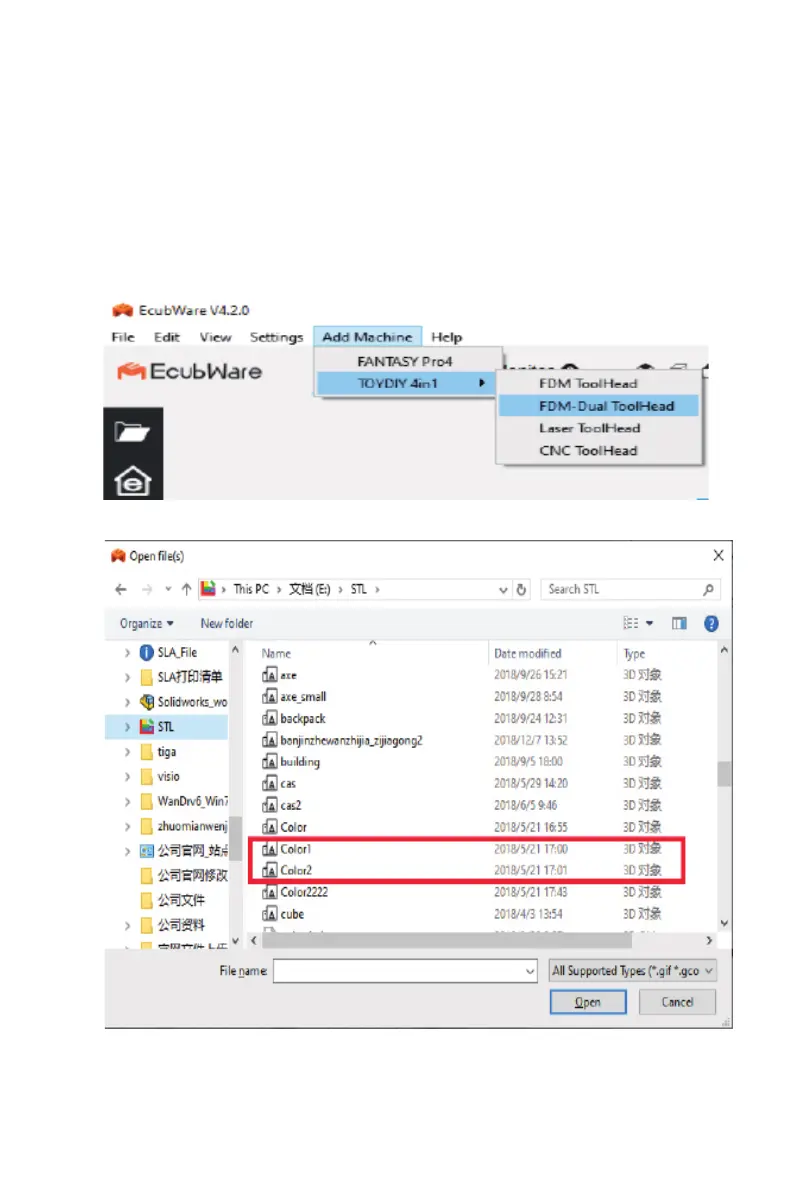
Open the EcubWare -- select printer model TOYDIY for FDM-Dual ToolHead only
②
Select stl model. The Dual-color model needs two stl les that are matched and
nested. Import those two stl les into the EcubWare.



 To Next Page