13
II-2-2. Windows Vista
1. Click the “Start” button (it should be located in the lower-left corner of your
computer), then click “Control Panel”. Click “View Network Status and
Tasks”, then click “Manage Network Connections”. Right-click “Local Area
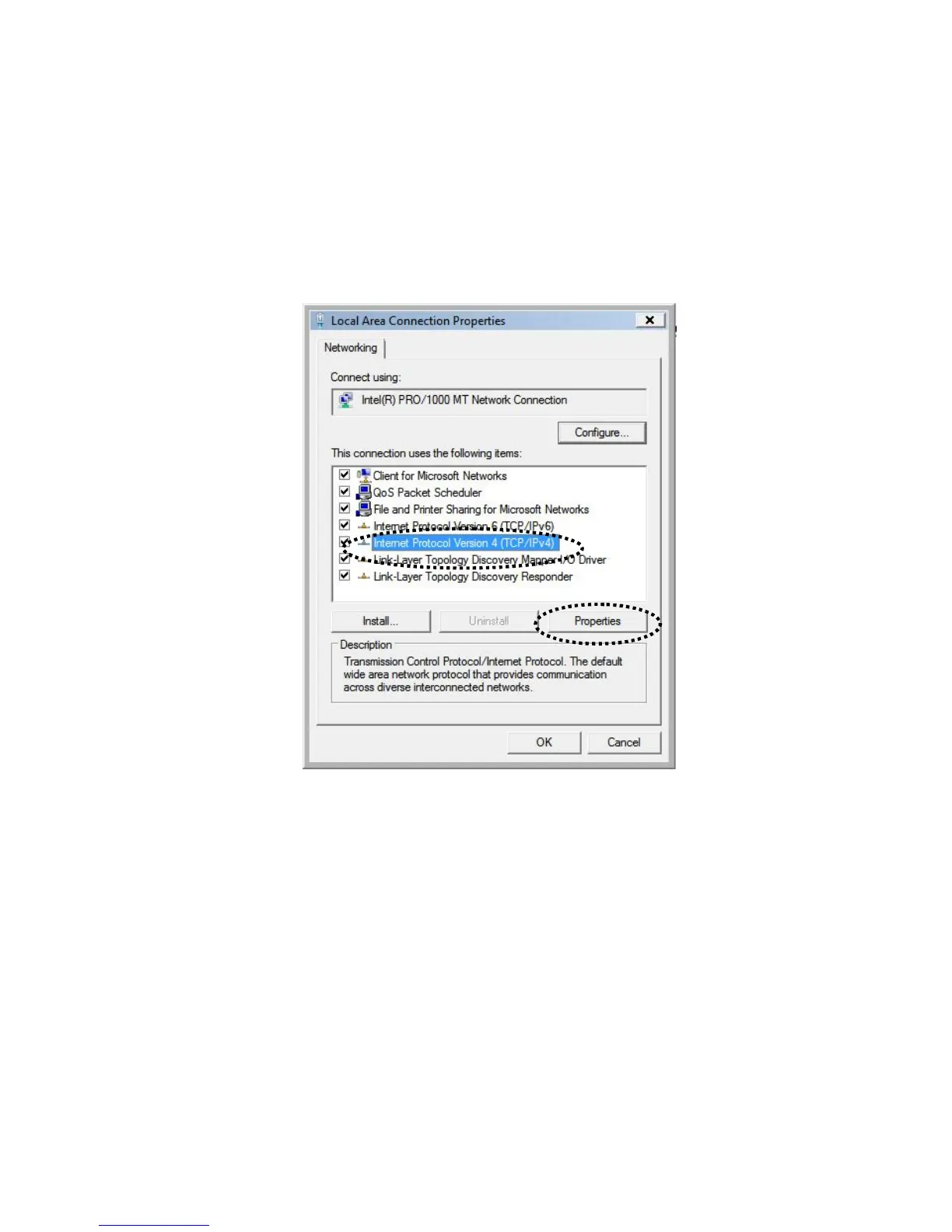
Network”, then select “Properties”. The “Local Area Connection Properties”
window will then appear, select “Internet Protocol Version 4 (TCP / IPv4)”,
and then click “Properties”.
2. Select “Obtain an IP address automatically” and “Obtain DNS server
address automatically”, then click “OK”.





 To Next Page