28
IV. BROWSER BASED CONFIGURATION INTERFACE
Once you have setup the router as detailed in III-1. iQ Setup or the included
QIG, you can further configure the settings of the router or run iQ Setup again
using the browser based configuration interface. If you prefer, you can also
skip iQ Setup and configure the router manually.
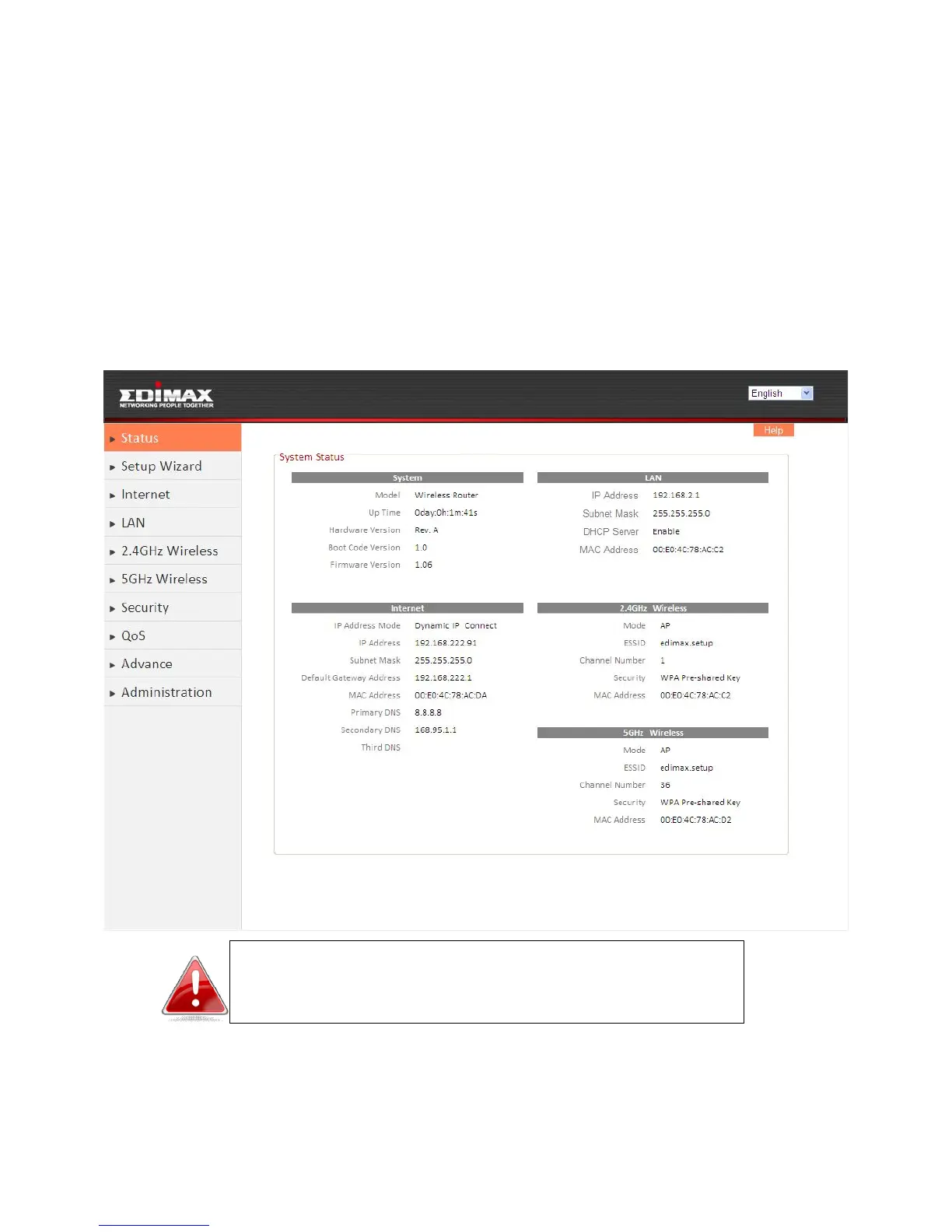
IV-1. Status
The Status page shows the basic status and information of the router.
Note: Screenshots shown in this manual are examples.
The information you see on your screen will be unique
to your configuration.
IV-2. Setup Wizard
To perform iQ Setup again and reconfigure the router, select “Setup Wizard”
from the menu on the left side.













 To Next Page