EasyManua.ls Logo

Edimax BR-6478AC - Hardware; LED Status; I-2. Hardware; I-3. LED Status

Edimax BR-6478AC
74 pages
Print Icon
To Next Page IconTo Next Page
To Previous Page IconTo Previous Page
Loading...
6
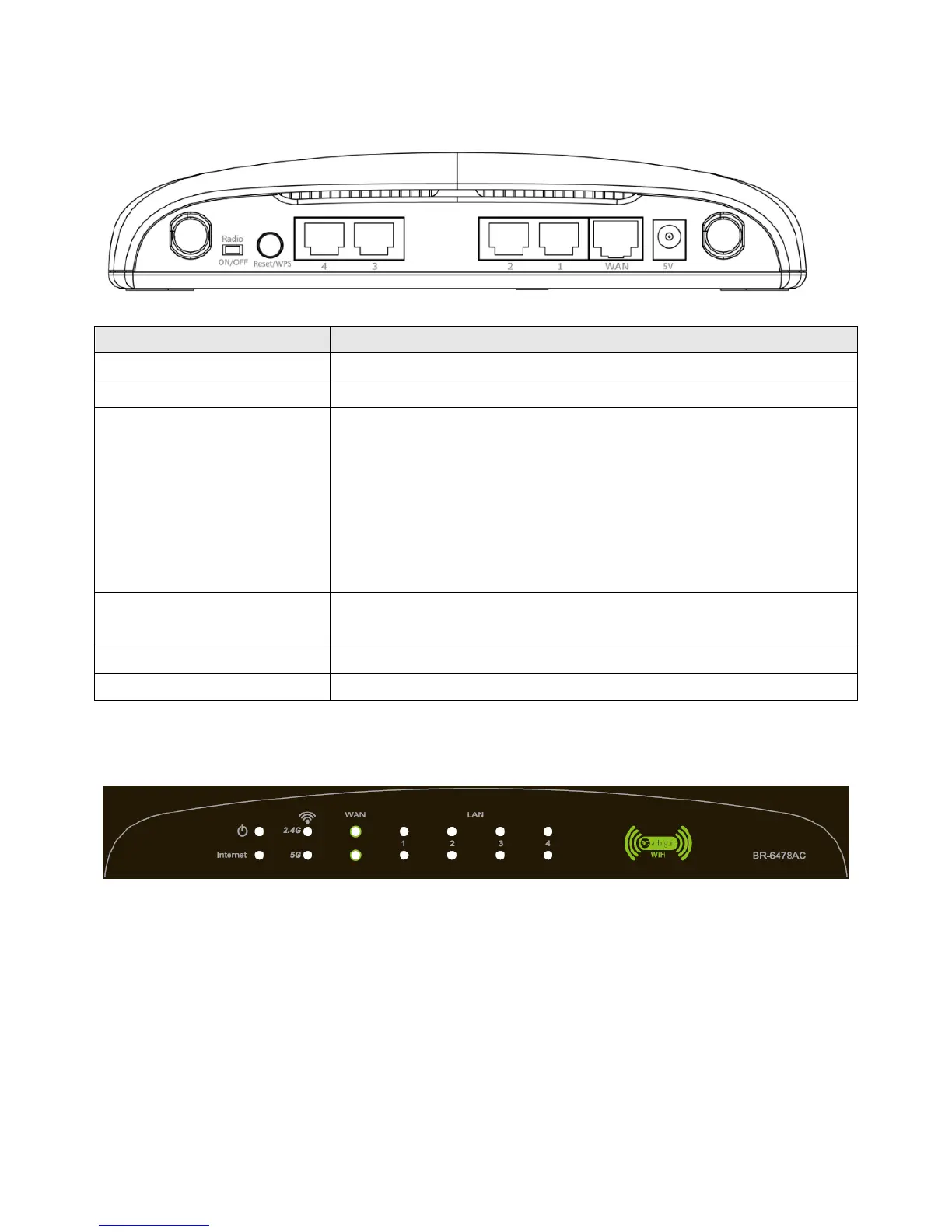
I-2. Hardware
Item Name
Description
Antenna
Connects
the supplied
3
dBi antennas.
Radio
ON/OFF Switch
Switch the wireless signal on/off accordingly.
Reset / WPS Button
Resets
the
router
to factory default settings (clears all
settings) or starts the WPS function.
Reset: Press and hold for 12 seconds to restore all
settings to factory defaults.
WPS: Press this button for 2–5 seconds to activate
the WPS function.
Gigabit
LAN Port
s
Connects
via Ethernet cable to a co
mputer or other
ne
twork devices
.
Gigabit WAN Port
Connects to cable/xDSL modems.
5V Power Port
Connects to the supplied power adapter.
I-3. LED Status

Table of Contents

Other manuals for Edimax BR-6478AC

Related product manuals