45
The default value is 1812.
RADIUS Server Password Input the password of the RADIUS
authentication server here.
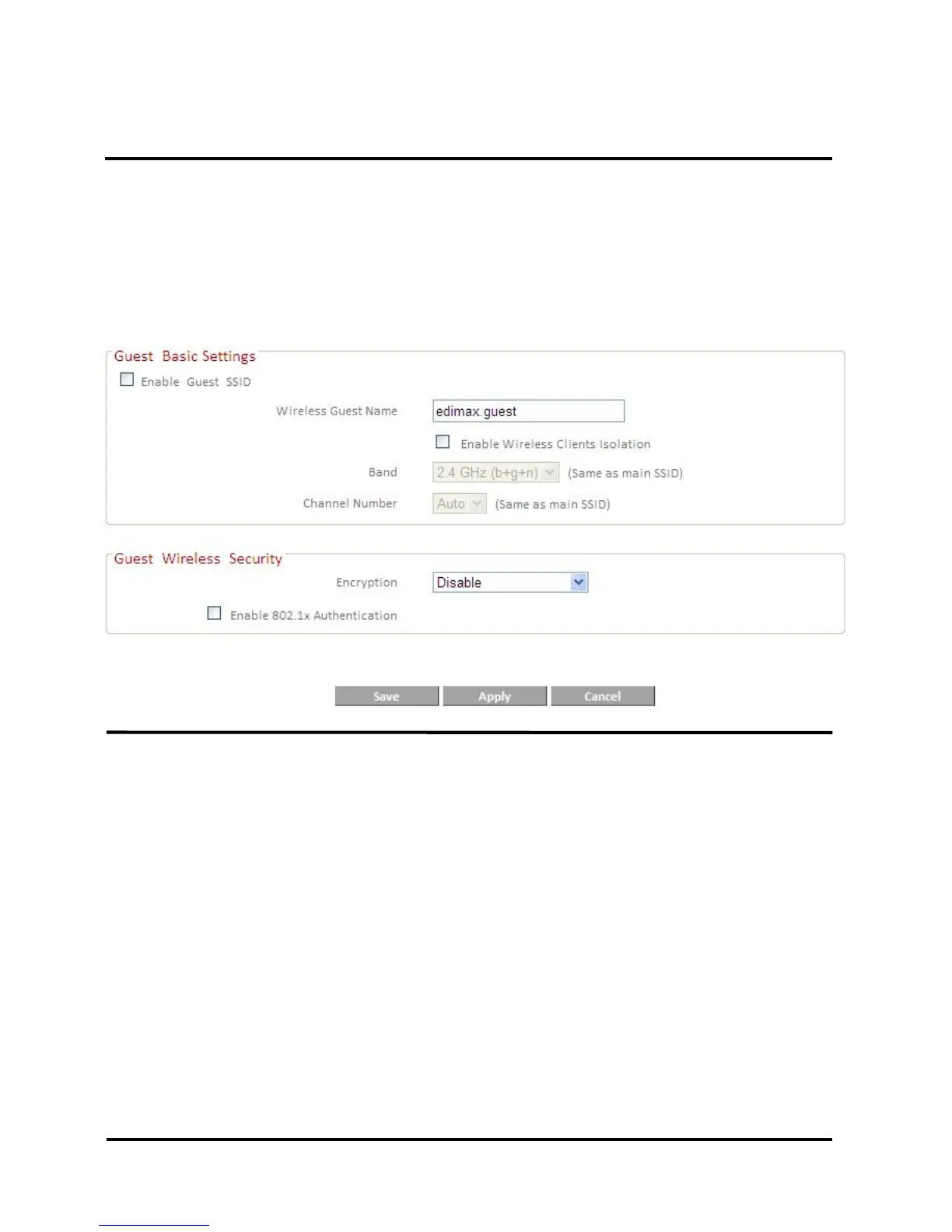
IV-5-2. Guest Wireless Settings
Here you can setup a “Guest” wireless network which permits users to
browse the Internet but doesn’t allow users to modify the router’s
settings – ideal for guests in your home or office. Check the box “Enable
Guest SSID” to enable this network, then enter the necessary information in
the fields below.
Wireless Guest Name Enter a name to identify the guest
wireless network. The default value
is “edimax.guest”.
Wireless Clients Isolation Check the box to enable wireless
clients isolation.
Band This value is the same as for the
main SSID and can not be modified.
Channel Number This value is the same as for the
main SSID and can not be modified.
Guest Wireless Security Configure the wireless security
settings for the guest network, in
the same way as explained in
IV-5-1-1. Wireless Security for the
main SSID.













 To Next Page