9
• Supports WMM, WEP, WPA, WPA2, DDNS, QoS, IP/MAC filter, DMZ and
virtual server.
II. HARDWARE INSTALLATION & NETWORK SETTINGS
II-1. Hardware Installation
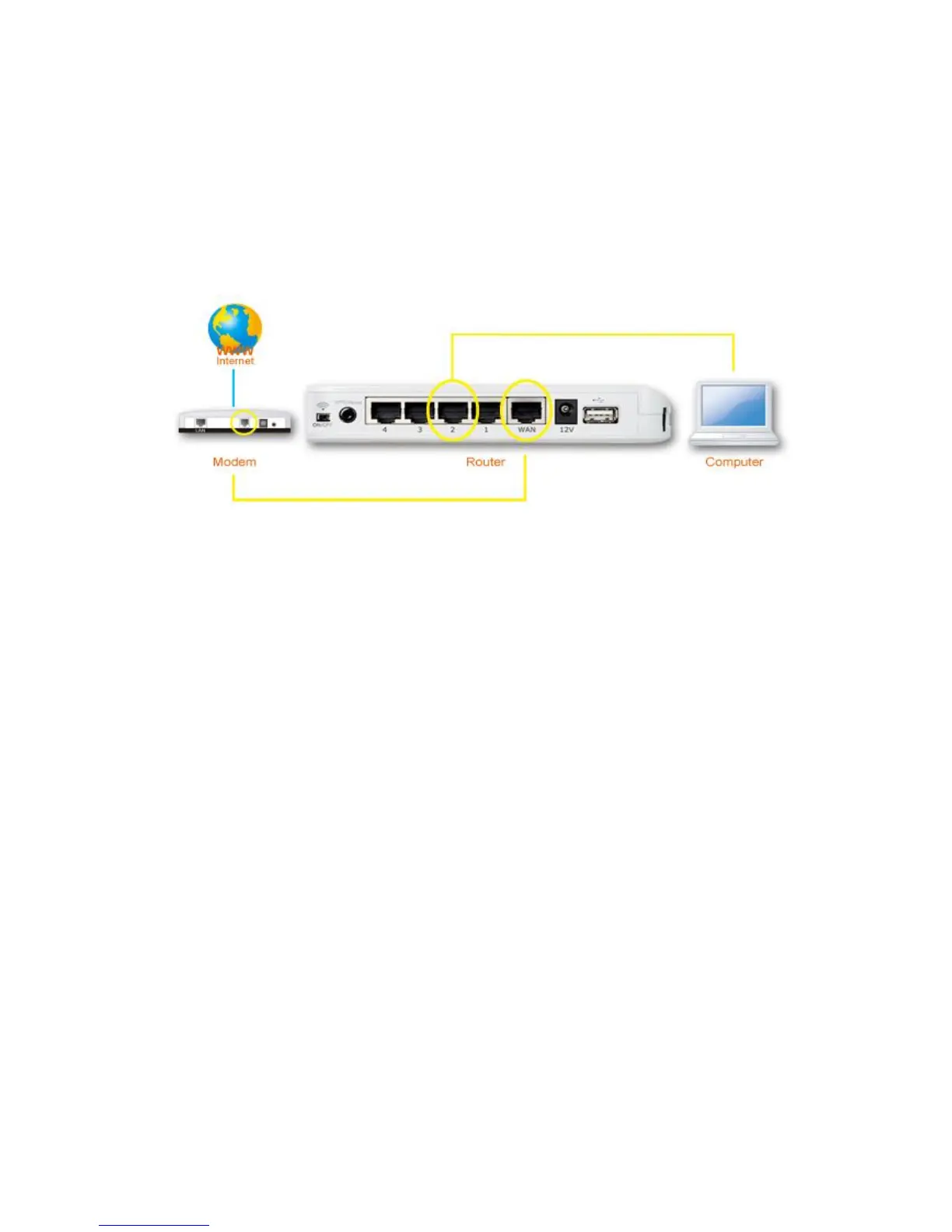
Please setup your router, computer, modem and other network devices as
shown below.
Before using the BR-6478AC, please make sure your computer is set to use a
dynamic IP address. This means your computer can obtain an IP address
automatically from a DHCP server. Please refer to instructions appropriate for
your operating system.
II-2. Network Settings
II-2-1. Windows XP
1. Click the “Start” button, then click “Control Panel”.














 To Next Page