38
difficult to access a service provided by a dynamic IP user; a DDNS service
though can map such dynamic IP addresses to a fixed hostname, for easier
access. The router supports several DDNS service providers, for more details
and to register for a DDNS account please visit the DDNS providers website(s),
examples of which are listed below.
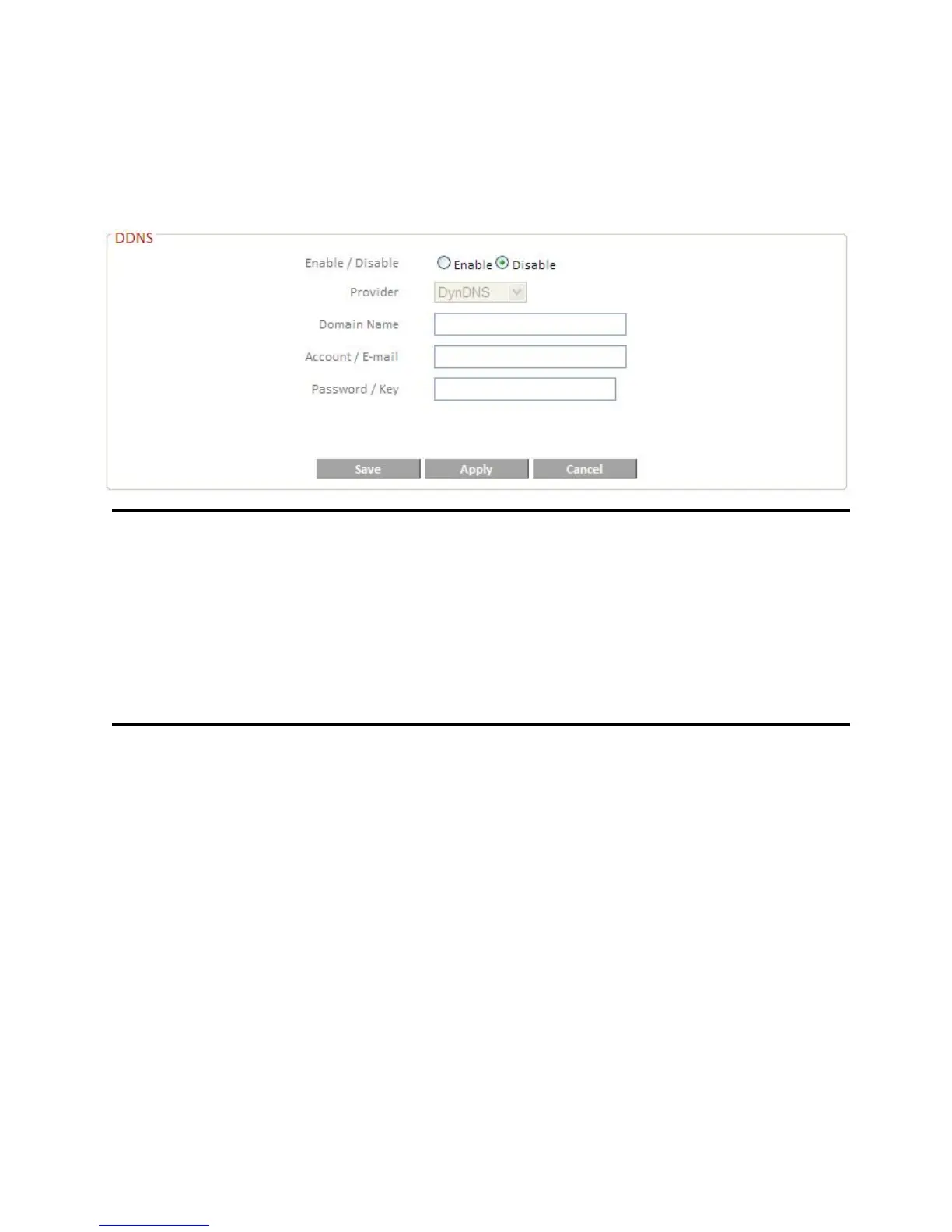
Enable/Disable Select “Enable” or “Disable” to enable/disable DDNS.
Provider Select DDNS service provider.
Domain Name Enter the domain name provided by the DDNS provider.
Account/E-Mail Please enter the Account or Email which has been
applied from DDNS provider.
Password/Key Please enter the Password or Key which has been
applied from DDNS provider.
This router supports the following DDNS services:
3322 http://www.3322.org
DHS http://www.dhs.org
DynDNS http://www.dyndns.org
ODS http://ods.org
TZO http://www.tzo.com
GnuDIP http://gnudip2.sourceforge.net
DyNS http://www.dyns.cx/
ZoneEdit http://www.zoneedit.com
DHIS http://www.dhis.org/
CyberGate http://cybergate.planex.co.jp/ddns/
NS2GO http://www.ns2go.com/
NO-IP http://www.noip.com/













 To Next Page