65
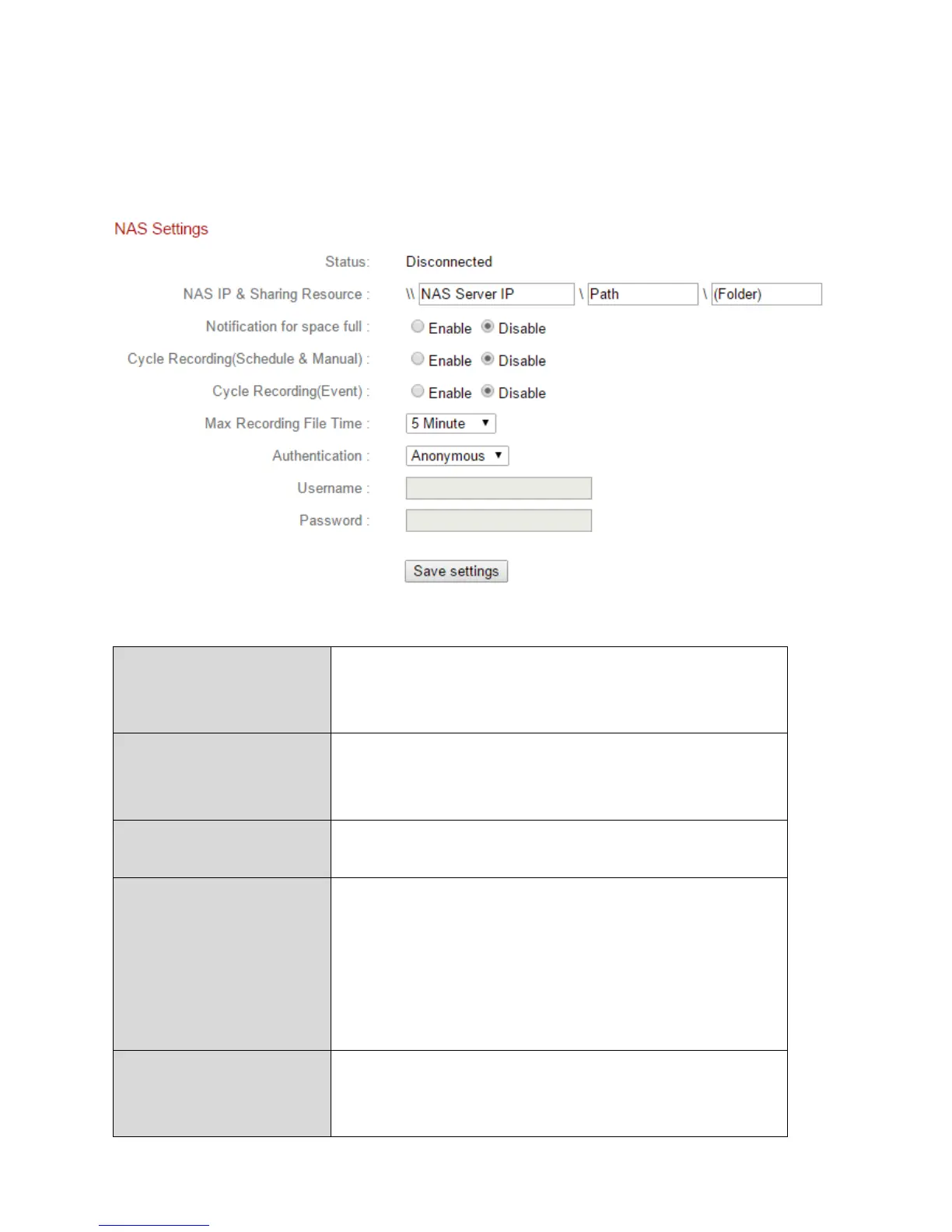
IV-4-3. NAS Settings
If using a NAS server for local storage, configure the settings on this page
according to your NAS.
Displays the status (connected or
disconnected) of your network camera and
NAS server.
NAS IP & Sharing
Resource
Enter the local IP address of your NAS and the
path of a shared folder to store your network
camera’s recordings.
Notification for
space full
Enable or disable email notifications when
your storage space is full.
Cycle Recording
(Schedule &
Manual)
Enable or disable cycle recording for
scheduled and manual recording. When
enabled, cycle recording will overwrite the
earliest recordings when the storage space
becomes full. When disabled, recording will
stop when storage is full.
Enable or disable cycle recording for event
recording. When enabled, cycle recording will
overwrite the earliest recordings when the



 To Next Page