91
VI-3-1-4. Motion Recording
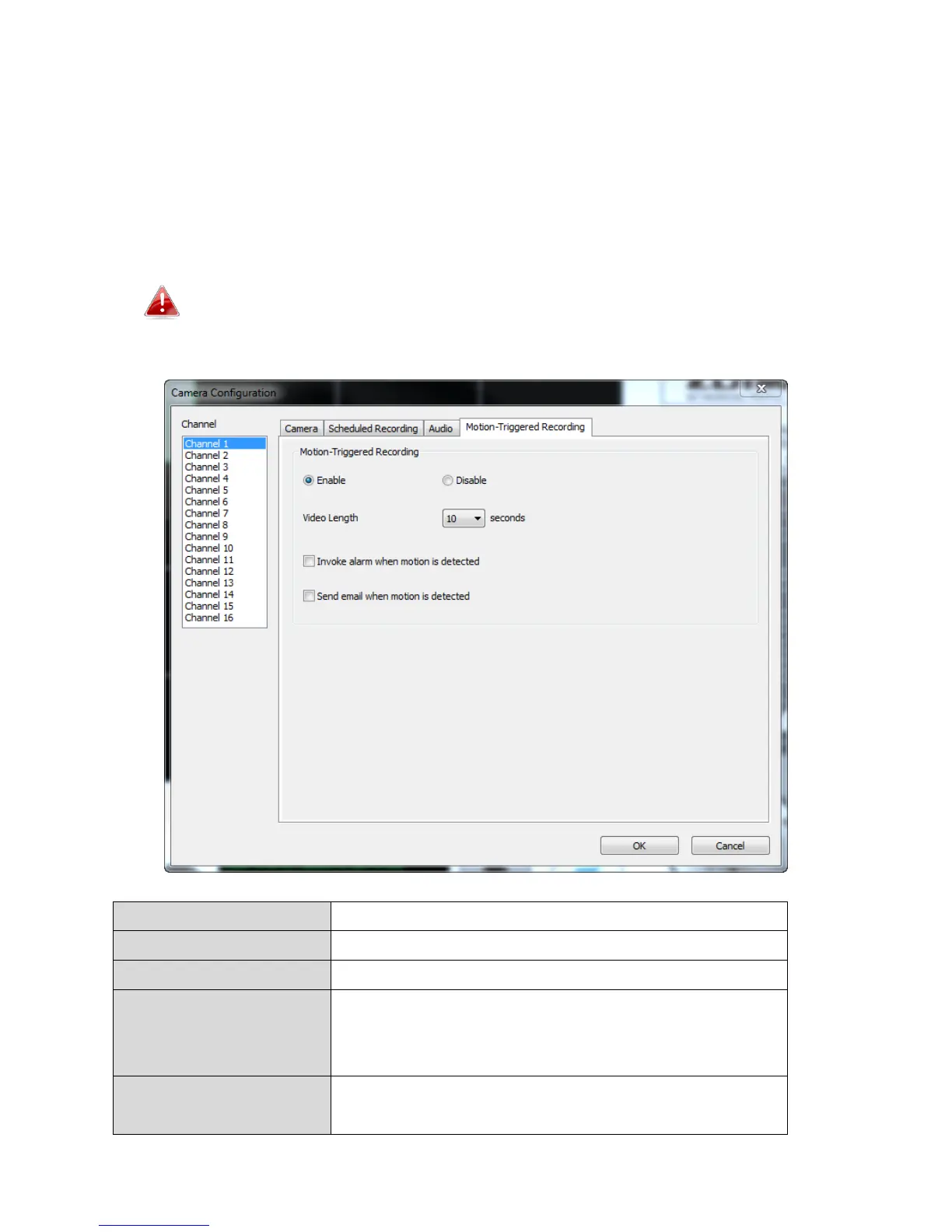
The network camera features a motion detection function and various options
for (motion detection) events notification. On this page you can enable or
disable motion detection and set the camera to send an email or trigger an
alarm when motion is detected.
Please note that when using the camera for security purposes, it
is important to monitor the camera’s stream even when using
motion detection. Motion detection may not be 100% accurate.
Select the time duration from the dropdown
menu, in seconds, that the camera will record
when a motion has been detected.



 To Next Page