9
II. Hardware Installation
II-1. Mounting Kit
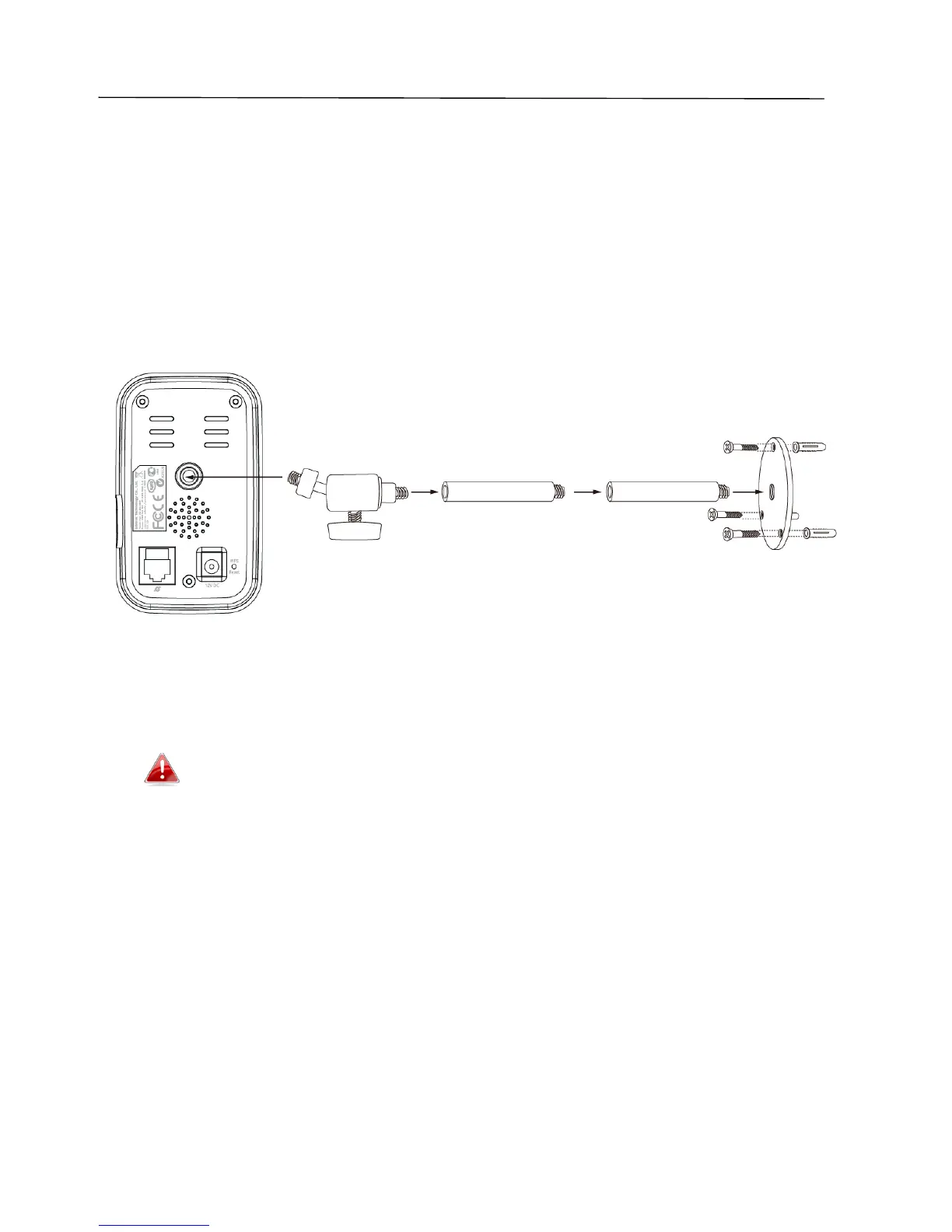
A stand for your network camera is included in the package contents. The
stand requires some assembly.
1. Assemble the included camera stand as shown below. The camera stand
can stand by itself or be mounted to a wall:
2. Secure the network camera to the included camera stand using the
mounting hole on the rear of the camera.
You can also mount the network camera to a tripod using the
mounting hole.



 To Next Page