13
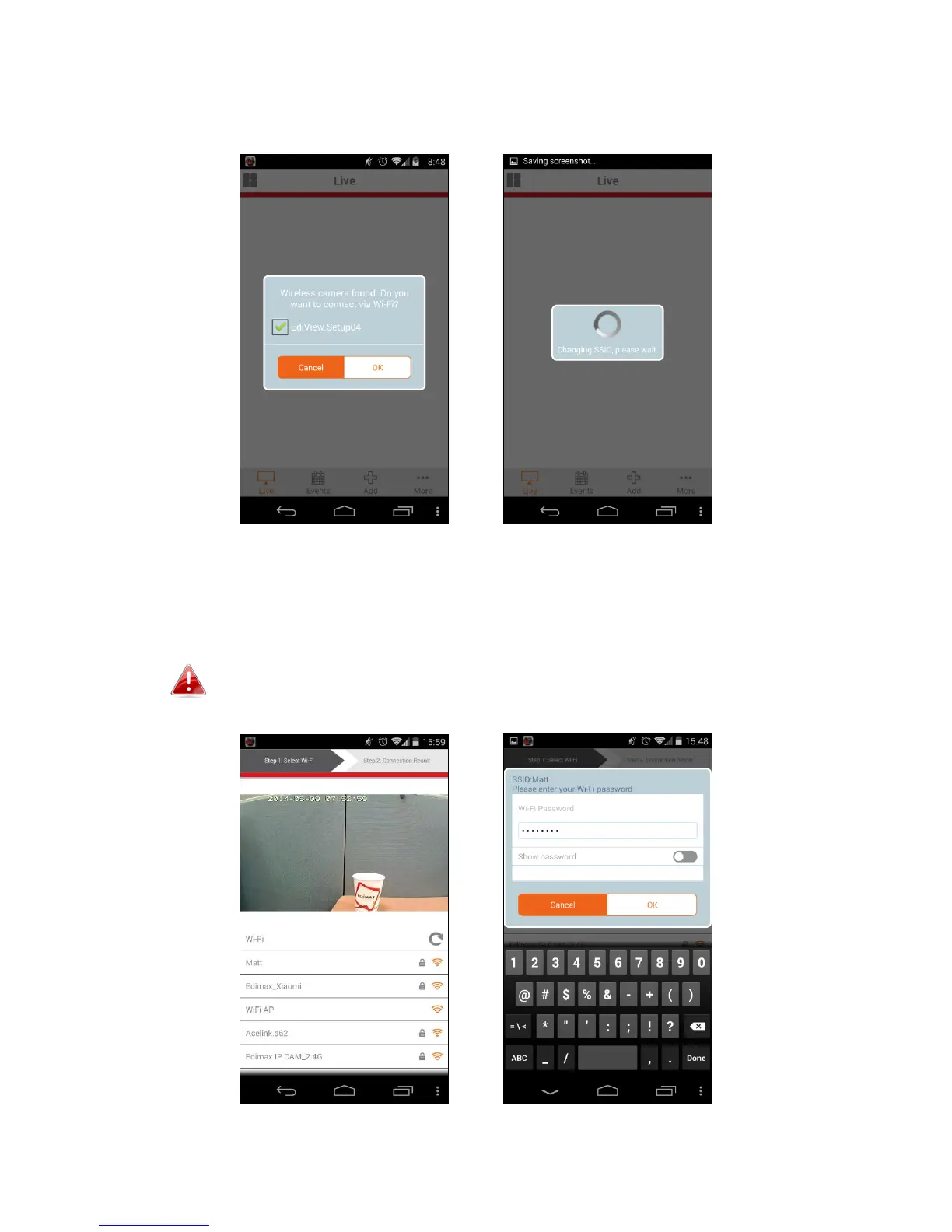
3. Android users ensure your Android device’s Wi-Fi is switched on, and open
the EdiView II app. Select your network camera and click “OK” to continue.
4. Android & iOS users select your Wi-Fi network from the list and then enter
your Wi-Fi password, before clicking “OK”.
If prompted to allow push notifications, please select “Yes”.



 To Next Page