EasyManua.ls Logo

Edwards STP-451 Series - User Manual

Edwards STP-451 Series
118 pages
Print Icon
To Next Page IconTo Next Page
Loading...
MT-21E-003-F
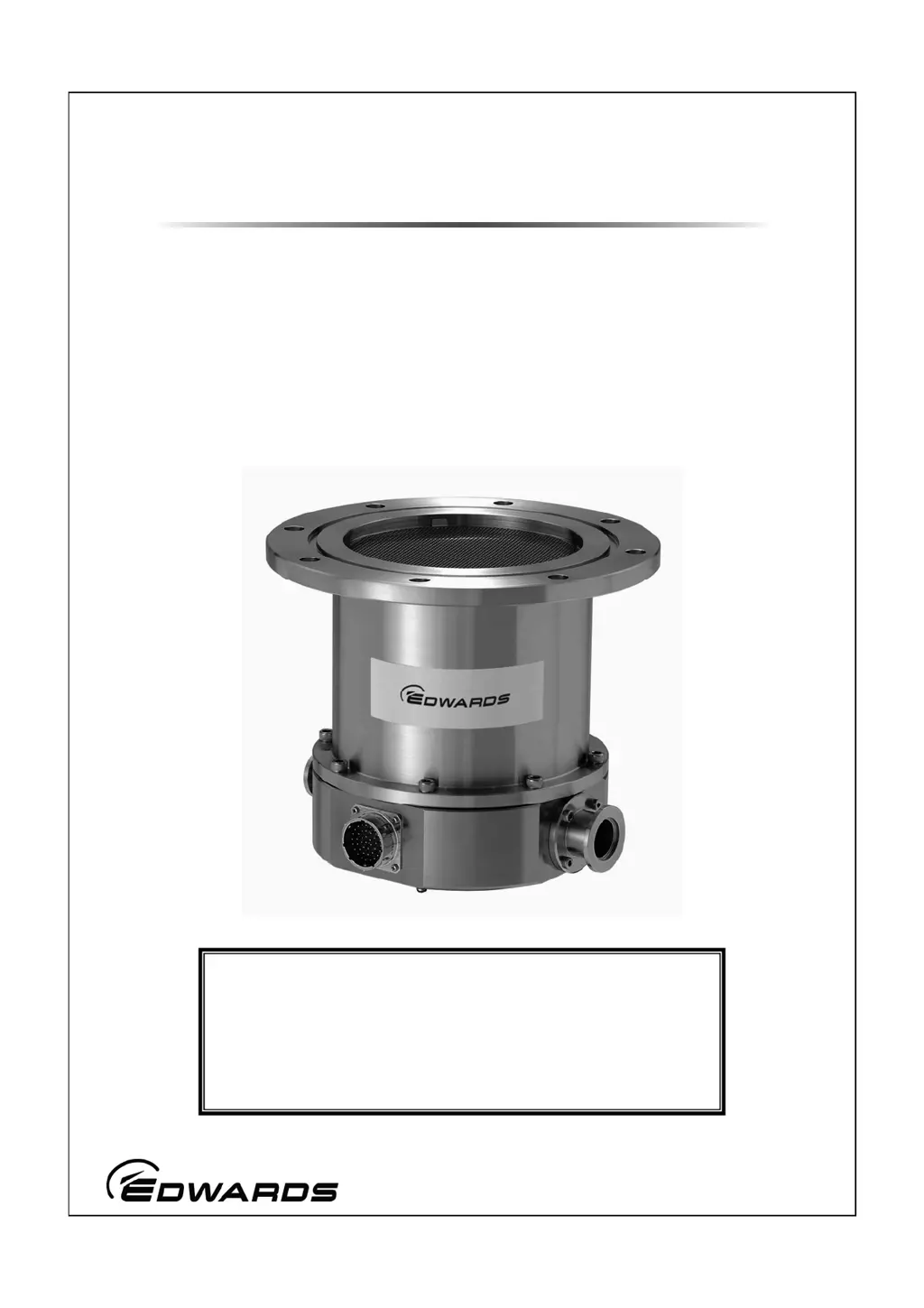
STP Series Turbomolecular Pumps
STP-301/451 Series
(Third Edition - f)
Instruction Manual
Copyright 2008 Edwards Japan Limited. All rights reserved. Printed in Japan.
Read through the Safety Precautions and
each section of this Manual carefully before
using the STP pump.
Keep this Manual in a place where you can
quickly access it at any time.
Jan. 2008

Table of Contents

Questions and Answers

  • J
    Joseph FoxAug 16, 2025
    What to do if Edwards Water Pump has POWER FAILURE?
    • M
      Michael LewisAug 16, 2025
      If the Edwards Water Pump experiences a power failure, first check if a power failure has actually occurred. Next, ensure the power cable is correctly connected. If the cable is damaged, replace it. Finally, verify that the power voltage is set correctly to 100 to 120V +/-10% (for 100V spec) or 200 to 240V +/-10% (for 200V spec).
  • D
    Daniel ScottAug 19, 2025
    Why does my Edwards Water Pump show OVERLOAD?
    • B
      Bianca DavisAug 19, 2025
      The Edwards Water Pump may show an overload due to a motor driver overload. This can be caused by insufficient pressure at the inlet or outlet port, leakage in the piping system, or failure of the backing pump. To resolve this, ensure you are using the maximum working pressure or less, and the allowable backing pressure or less. Inspect the piping system for leaks and check the backing pump's capacity and start state, using a pump with the recommended capacity or more.
  • J
    Jacqueline WilliamsAug 22, 2025
    How to troubleshoot insufficient ultimate pressure in Edwards Water Pump?
    • K
      Keith RussellAug 22, 2025
      To troubleshoot insufficient ultimate pressure in your Edwards Water Pump, check the following: * Inspect the backing pump for its capacity and start state, ensuring it meets the recommended capacity. * Examine the piping system for any leaks. * If residual molecules are present, and the main composition is H2 or H2O, perform baking. If it's other than H2 or H2O, clean the inside of the vacuum equipment.
  • C
    Casey HarrisonAug 25, 2025
    What causes Edwards STP-451 Water Pump to display CONTROLLER OT?
    • J
      Jasmine JohnsonAug 26, 2025
      The Edwards Water Pump displaying 'CONTROLLER OT' indicates overheating inside the STP control unit. This can be due to a high ambient temperature or insufficient cooling of the STP control unit. Ensure the ambient temperature is 40°C or less and remove any obstructions from the ventilation port.
  • M
    Mr. Johnny OwenAug 28, 2025
    What to do if Edwards STP-451 Water Pump displays DISTURBANCE?
    • D
      Daniel StoneAug 28, 2025
      If the Edwards Water Pump displays 'DISTURBANCE', it may be due to an abnormal magnetic bearing or excessive external vibration. This can happen if the STP pump and control unit have different serial numbers, or if the cable length has been changed. Use units with the same serial number or perform tuning. Also, remove any external vibration to prevent it from affecting the pump. Check the piping and ensure no atmospheric air flows into the pump. Install the pump in a way that prevents foreign particles from entering.
  • T
    Troy HansonAug 31, 2025
    Why is Edwards STP-451 showing PUMP OVERTEMP?
    • A
      antonio73Aug 31, 2025
      The Edwards Water Pump may show 'PUMP OVERTEMP' due to overheating inside the STP pump. This can be caused by overheating during baking, insufficient cooling, leakage in the vacuum piping system, or repetitive start/stop operations. Set the baking heater temperature to 120°C or lower and always cool the STP pump during baking or gas suction. Check the piping system for leaks, and be aware that repetitive start/stop operations may cause overheating.
  • B
    Brian DavenportSep 3, 2025
    How to fix Edwards STP-451 Water Pump cable disconnect issue?
    • J
      Joseph TaylorSep 3, 2025
      To fix a cable disconnect issue with the Edwards Water Pump, ensure the STP connection cable is correctly connected and securely locked.
  • O
    ocarterSep 6, 2025
    What to do if Edwards STP-451 Water Pump breaker goes OFF when powering ON?
    • C
      Christopher GregorySep 6, 2025
      If the breaker goes OFF when powering on the Edwards Water Pump, it may be due to an abnormal power voltage, specifically if 200V is applied to a 100V spec STP control unit. Set the voltage to 100 to 120V +/-10%.
  • M
    Martha MullenSep 9, 2025
    What to do if Edwards STP-451 Water Pump power lamp does not light?
    • C
      Charles HuberSep 9, 2025
      If the "POWER" lamp does not light when powering on the Edwards Water Pump, ensure the power cable is correctly connected. Also, verify that the power voltage is set to the correct range: 100 to 120V +/-10% (for 100V spec) or 200 to 240V +/-10% (for 200V spec). Finally, check whether a power failure has occurred.
  • E
    Edward BellSep 12, 2025
    Why Edwards STP-451 ACCEL lamp does not light?
    • L
      Logan VaughanSep 12, 2025
      If the "ACCEL." lamp on your Edwards Water Pump does not light, consider the following: * If in MANUAL operation, press the "SELECT" switch until the LCD displays "LEVITATION" or "BRAKE ***00rpm." * Ensure the "MANUAL/REMOTE" changeover switch is in the correct position. * For REMOTE operation, check and replace any blown fuses (F1 to 4) for remote signal input. * Verify the correct setting of DSW-B No.4 according to the remote input connector/terminal.

Edwards STP-451 Series Specifications

General IconGeneral
BrandEdwards
ModelSTP-451 Series
CategoryWater Pump
LanguageEnglish

Related product manuals