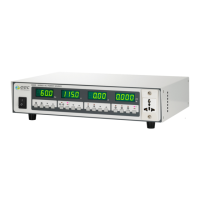
8
10. ﹀ Key. To decrease high limit of current, as well as SYSTEM and PROGRAM parameters.
11. SYSTEM Key. Enter or exit from the setting of SYSTEM parameter.
12. PROGRAM Key. Enter or exit from the setting of PROGRAM parameter.
13. ︿ Key. To increase the output voltage higher than the display value.
14. ﹀ Key. To decrease the output voltage lower than the display value.
15. High Range Key. High Range: Voltage Range, 0-300V. (If output voltage is 0-600V,the voltage
range is 0 - 600 V.)
16. Low Range: Voltage Range, 0-150V. (If output voltage is 0-600V,the voltage range is 0 - 300 V.)
17. ︿ Key. To increase the output frequency higher than the display value.
18. ﹀ Key. To decrease the output frequency lower than the display value.
19. 50/60 Hz Key. If the rating output frequency is 45~70Hz or optional 45~500Hz, press it will be
set the output frequency to 50/60 Hz. If the rating output frequency is optional 400Hz, it will
be disabled.
20. TEST/RESET Key. To turn on/off the output, or start/abnormal operation occurs.
21. TEST Indicator. When this LED is ON, the output voltage is turned ON.
22. PASS Indicator. When this LED is ON, an automatic output operation has passed.
23. LOCK Indicator. When this LED is ON, all the keys are disabled.
24. REMOTE Indicator. When this LED is ON, the AC Power Source is controlled by GPIB (RS232) or
PLC control.
25. P Indicator. When this LED is ON, the MULTIMETER display shows the power value.
26. PF Indicator. When this LED is ON, the MULTIMETER display shows the power factor value.



 To Next Page