22
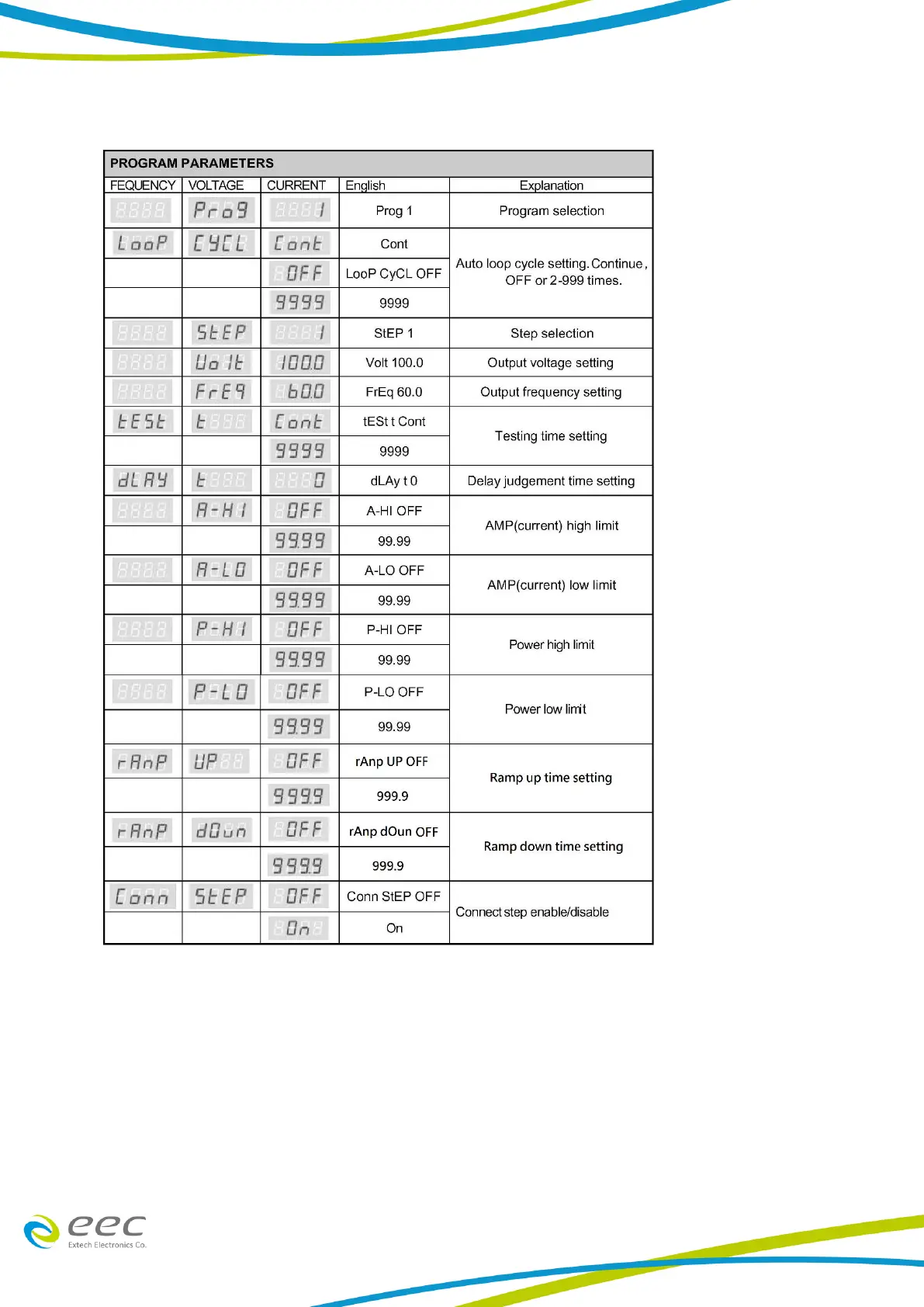
PROGRAM PARAMETERS
1. Program Memory Selection
When the voltage display indicates “Prog” under PRORAM parameter setup, press “ ︿ “ or “ ﹀
“ key to select “1 ~ 8” of memories. If the program memories (P1~P8) have to be interconnected,
it can be achieved by turning ON the “Auto run”. Each step of a memory can be linked to the next
step up to 400 steps (8 Programs × 5 Steps) in sequence by turning ON the “Conn StEP”. All
different settings on voltage, frequency, testing time, current, power, and power factor high/low
limits can be stored at each step individually.



 To Next Page