Hardware Overview
Document ID: OMM-00174 Rev. D Pro 30f Operations Guide 23
3.2.2 Cyclonic Vacuum System
The cyclonic vacuum system is located in the waste compartment (behind the carriage rear access panel). This
compartment contains the cyclonic vacuum container, vacuum canister, and ink waste container. The design allows for
the removal of most of the ink from the vacuum system before it enters the vacuum canister. This function greatly
decreases or eliminates the need for excessive cleaning and replacing of filters in the vacuum canister.
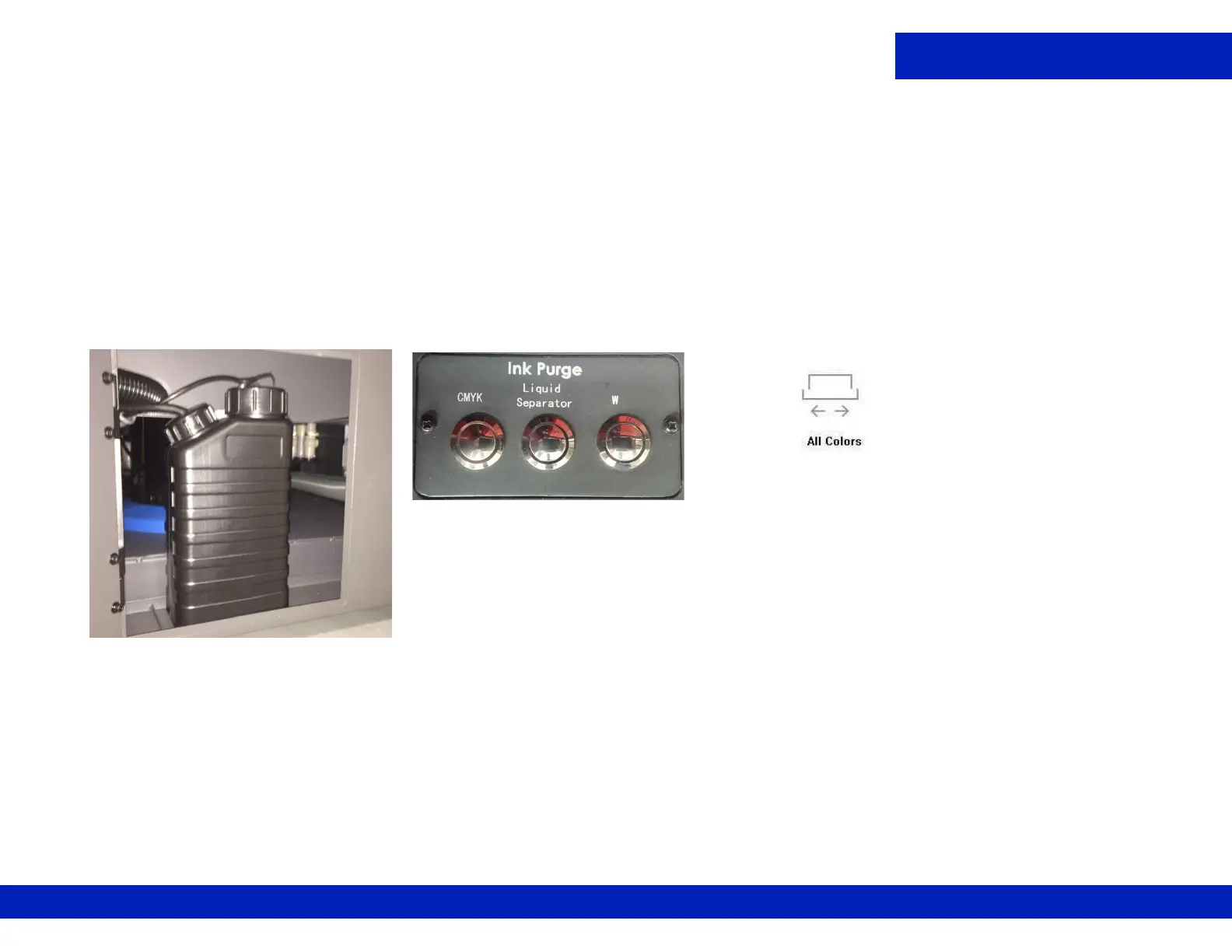
The cyclonic vacuum system allows the operator to empty the ink vacuum canister without having to remove the
canister from the printer. This system operates so that the cyclonic vacuum container can be emptied into the ink waste
container by means of the Liquid Separator button located in the carriage Home compartment. The waste container can
then be removed from the ink compartment and emptied.
3.2.3 Carriage X-Axis Drive Motor Access Panel
The Carriage X-Axis drive motor provides the power to move the carriage via the carriage belt. This motor is located at
the left end of the carriage beam (when viewing printer from the rear) and is accessed by lifting the rear door behind the
operator station.
NOTE: Belt tension adjustments and motor servicing should be done by qualified Field Service Engineers ONLY.
Figure 3-12 Ink Waste Container
F i g u r e 3 - 1 3 L i q u i d S e p a r a t o r -
Empties Cyclonic Container



 To Next Page