Cummins 2010-2018 Quick Start
support@efilive.com - 12 - www.efilive.com
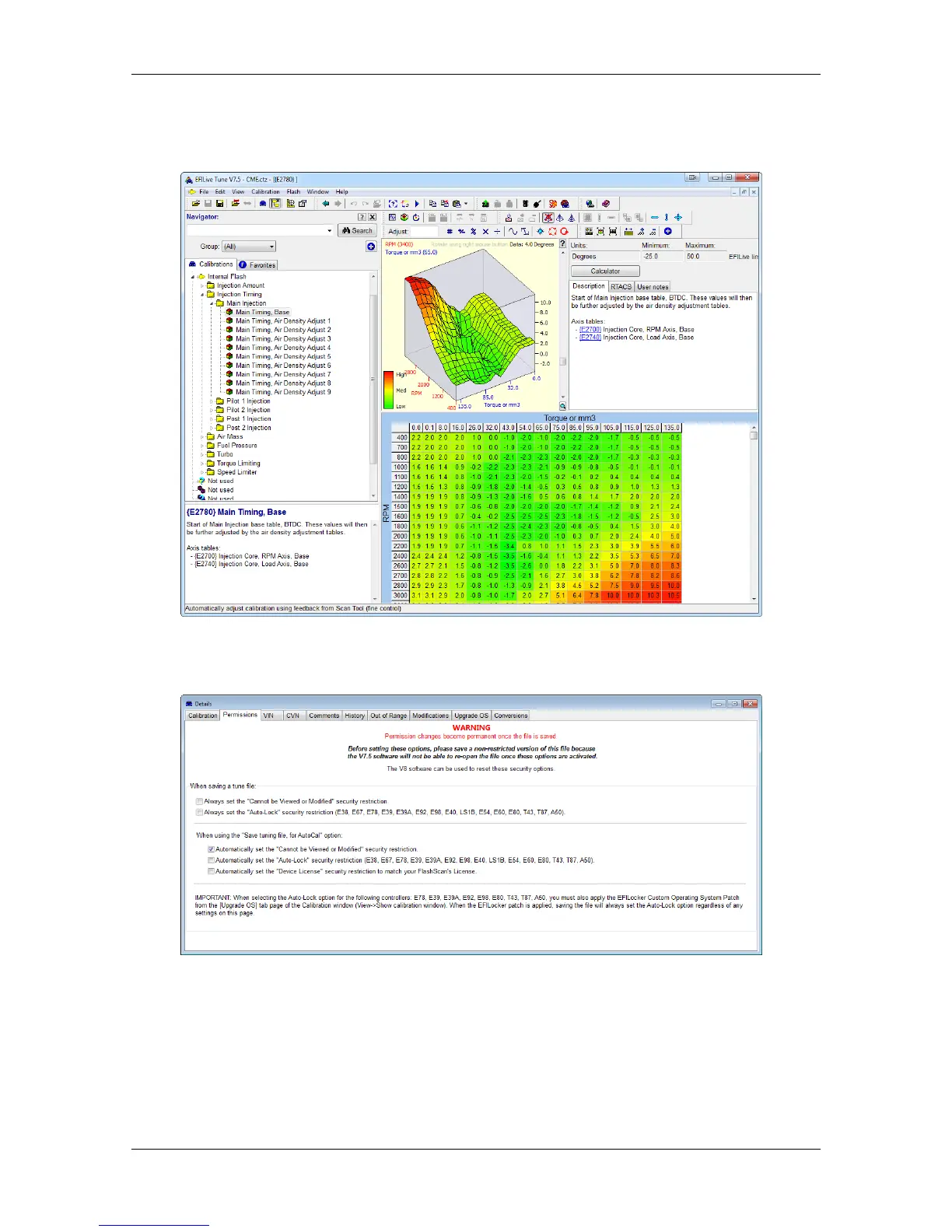
4. Navigate to the table(s) you wish to modify by using the Windows Explorer style
navigation window.
5. Edit selected table(s) by changing the values or by using the adjustment
functions.
6. A range of tune file security options can be applied in the Permissions tab (or
via the V8 software using [F3: Tune] -> [F4: Properties] -> Security Restrictions
tab).
7. Save changes to the tune file by using the Save tuning file, Save tuning file
as, or Save tuning file for AutoCal option.
If using the Save option, ensure you have a copy of your stock tune saved
elsewhere.
Save tuning file as, and Save tuning file for AutoCal options automatically
appends a sequence number to the filename to make it unique giving users a
history of sequentially numbered files with each saved change made.



 To Next Page