Cummins 2010-2018 Quick Start
support@efilive.com - 14 - www.efilive.com
VIN Licensing
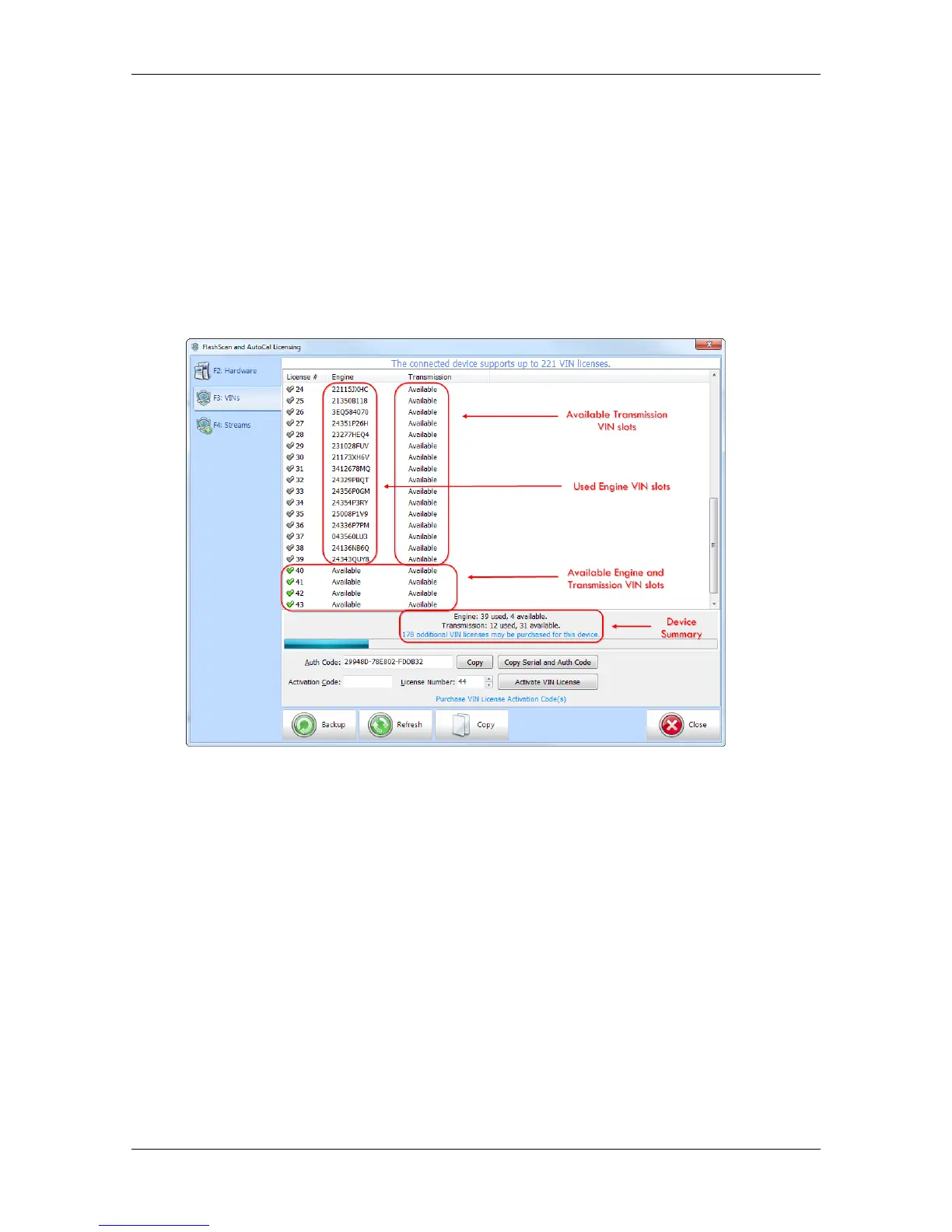
Each vehicle that you tune requires an available VIN license. The license is
allocated during the flashing process. Reflashing the same controller multiple
times using the same FlashScan V2/AutoCal only uses one license.
To check that you have an available VIN license to allocate to your vehicle perform
these steps.
1. Connect your FlashScan V2 or AutoCal device to your PC.
2. Open the EFILive Scan and Tune application.
3. Select the [F7: License] option in the left-hand pane.
4. Select [F3: VINs] to display VIN License details.
5. To purchase additional VIN Licenses, click on the Purchase Activation Code(s)
link to order products. NOTE: AutoCal Users should contact their Tuner before
purchasing additional VIN licenses to discuss tune file compatibility.
6. Enter emailed Activation Code and select Activate.
Flashing the ECM
Dodge Cummins ECM flashing is supported by;
1. EFILive Scan and Tune software (V8 software).
2. FlashScan V2.
3. AutoCal.
EFILive Scan and Tune
Follow the steps below to flash your Dodge Cummins ECM controller.
1. Connect your FlashScan V2 or AutoCal device to your PC and your vehicle.
2. Turn the vehicle ignition to the On positon (not the Accessory
position. Vehicle must not be cranked/running when flashing).
3. Open the EFILive Scan and Tune application.


 To Next Page