Cummins 2010-2018 Quick Start
support@efilive.com - 20 - www.efilive.com
Quick Setup
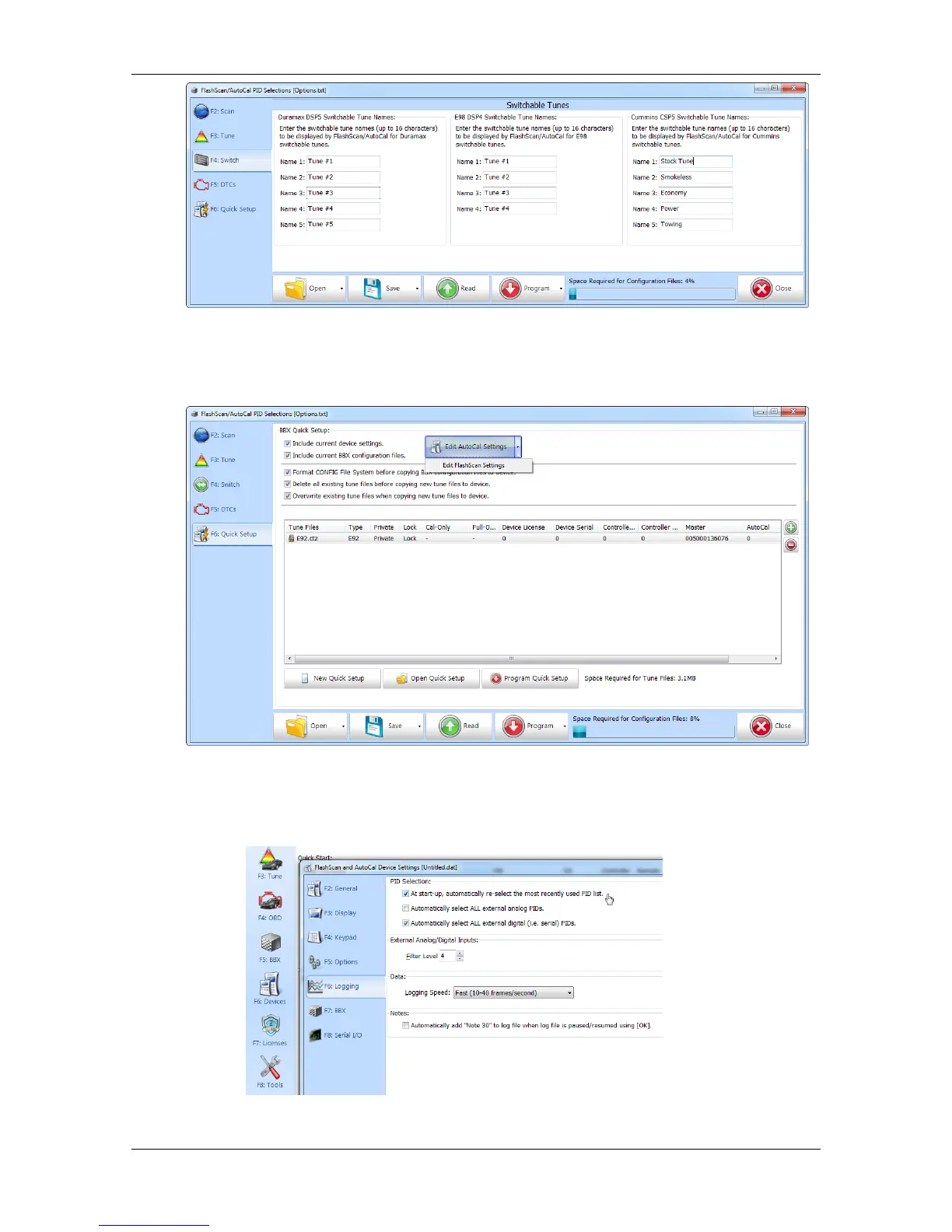
1. Select the [F6: Quick Setup] option in the left-hand pane.
2. Edit FlashScan V2 or AutoCal Settings as required. Ensure that CSP
5
tunes can
be switched after powering off FlashScan V2/AutoCal by selecting [F6: Logging]
–> At start-up, automatically re-select the most recently used PID list.
3. Select appropriate BBX Quick Setup options.


 To Next Page