Cummins 2010-2018 Quick Start
support@efilive.com - 5 - www.efilive.com
NOTE: The ECM must be fully operational and not in boot mode as a result of a
failed flash (error $0340) or forced boot mode. Where the ECM is in boot mode,
the unlock process is bypassed and two-step flash process is required to remove
the digital signature.
1. Recover the ECM by flashing a stock tune to restore the ECM to
operational mode.
2. Flash the ECM to remove the digital signature.
Software
Overview
EFILive presently has two major software versions (V7 and V8) that implement
different parts of the tuning and scanning process. The V8 software is undergoing
significant development and will eventually supersede V7 entirely for FlashScan
V2 customers.
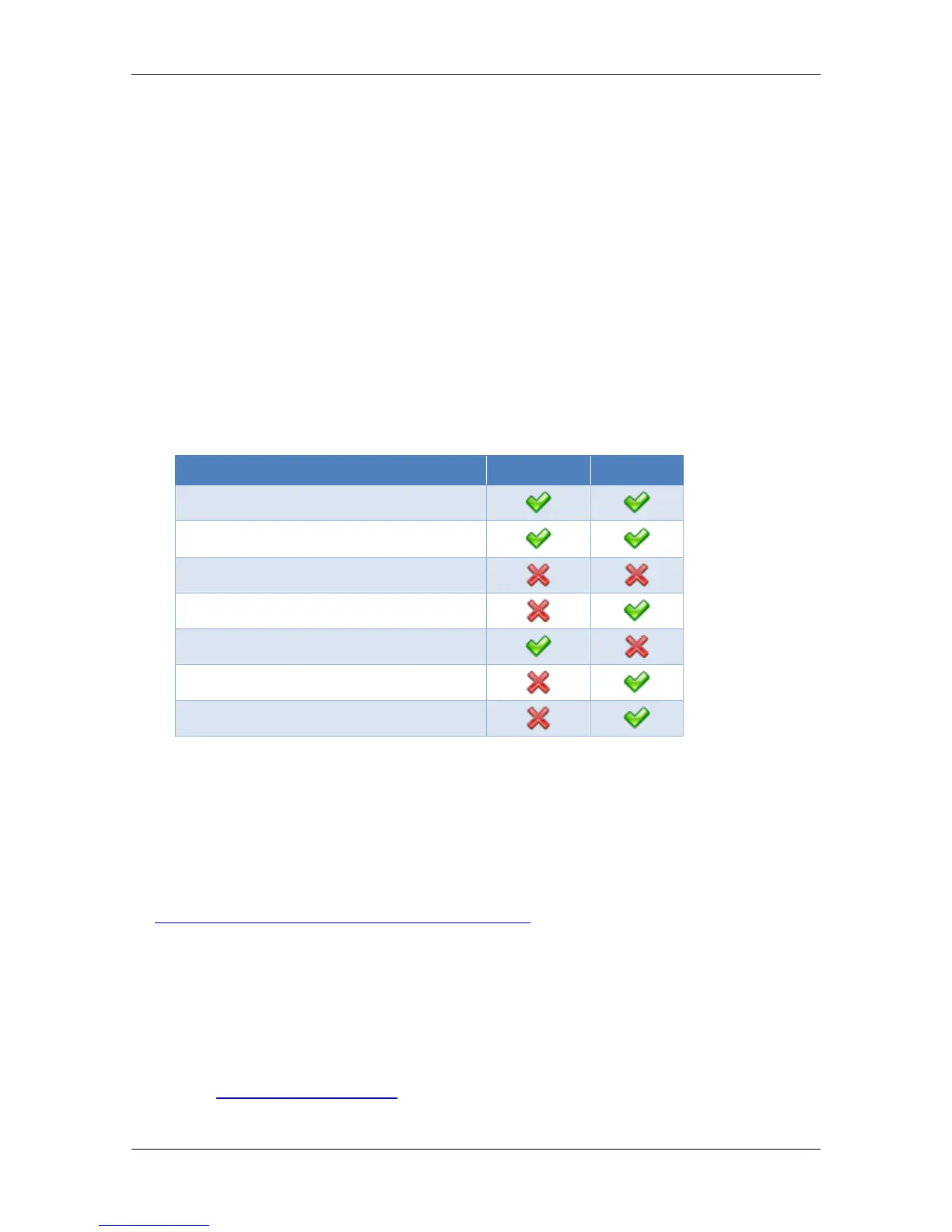
Cummins customers must install both versions, the following table displays
Cummins 2010-2018 software functionality.
Requirements
The most recent Cummins software enhancements are available in the following
product versions:
EFILive V8.2.17 or later.
FlashScan V2 / AutoCal Firmware - V2.07.134 or later.
The latest software is available for download from the EFILive website here:
http://www.efilive.com/latest/cat/download-efilive
Additional Support Resources
If, after reviewing this guide, further assistance is required please contact the
EFILive Authorised Reseller from whom you purchased your product. They are
your first point of contact for EFILive support related inquiries.
If your question is in relation to the actual tuning of your vehicle (i.e. how to gain
performance, economy etc.) then please ask these questions on the EFILive
Forum (http://forum.efilive.com/). EFILive does not provide support or assistance
for the actual tuning of any supported vehicles.


 To Next Page