EFKA DA82GA3312
23
Unless the reference position has been stored,
an error message will appear on the display.
Turn handwheel several times, press key E and select parameter 170.
Then repeat the above sequence.
5.3.3 Setting the Reference Position on Control Panel V820
Select 170.
Press key E
Press key >> (B)
Turn handwheel until desired reference position is reached.
Note: Turn at least until marker [ ] has disappeared!
Press key E.
Reference position is entered.
Unless the reference position has been stored,
an error message will appear on the display.
Turn handwheel several times until the desired reference position is reached.
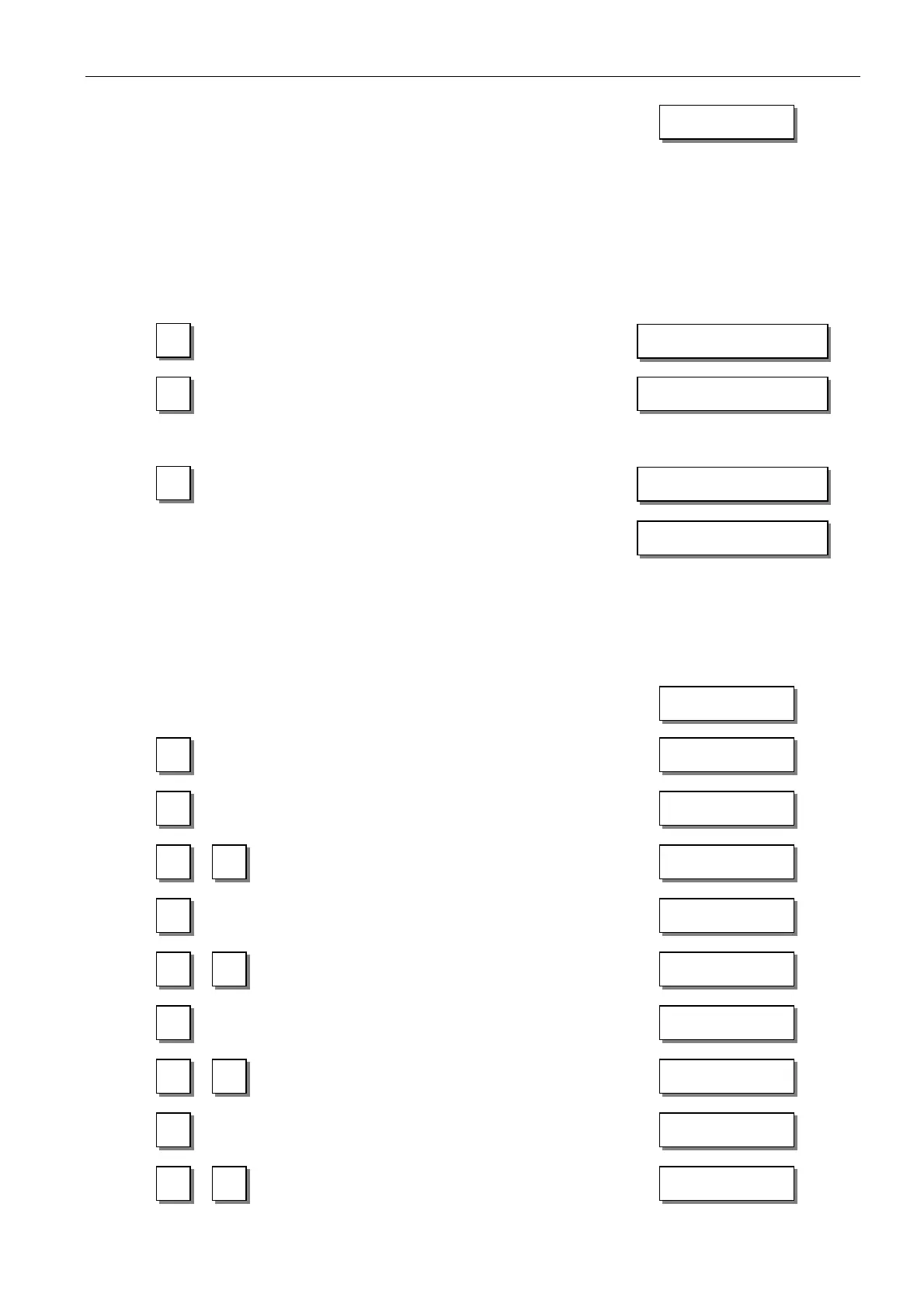
5.3.4 Setting the Positions on the V810 Control Panel
Select parameter 171.
Press key E.
Press key >> (B).
Parameter value of position 1 appears.
If necessary, change parameter value by pressing
the +/- key or by turning the handwheel.
Press key E.
Parameter value of position 2 appears.
If necessary, change parameter value by pressing
the +/- key or by turning the handwheel
Press key E.
Parameter value of position 1A appears.
If necessary, change parameter value by pressing
the +/- key or by turning the handwheel
Press key E.
Parameter value of position 2A appears.
If necessary, change parameter value by pressing
the +/- key or by turning the handwheel
F – 1 7 1
S r 2
» 1 0 4 6
- 1 X X X
2 2 7 0
- 2 X X X
1 A 0 8 6
- 1 A X X X
2 A 4 6 0
- 2 A X X X
i n F A 3
F–170 Sr1
F-171
»
F–170 PoS 0 [ ]
InFo A3



 To Next Page