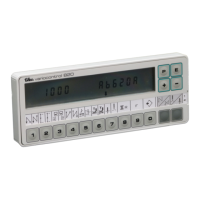
EFKA DA82GA3312
9
3.2 V810 Control Panel Operation
3.2.1 Code Number Input on the V810 Control Panel
Example: Technician level CODE number selection on the V810 control panel
TURN POWER OFF
+
TURN POWER ON. First digit blinks !
Press the + or – key to select the first digit !
Press the >> key !
Second digit blinks !
Press the + or – key to select the second digit !
Press the >> key twice !
Fourth digit blinks !
Press the + or – key to select the fourth digit!
If the CODE number is correct, the first
PARAMETER number at the selected level
is displayed !
3.2.2 Parameter Input at the Operator Level on the V810 Control Panel
Example: CODE number has not been input !
TURN POWER ON !
First parameter at the operator level is
displayed.
Second parameter at the operator level is
displayed. The next or previous parameter
can be called by pressing the +/- keys.
Parameter value is displayed !
Change parameter value by pressing the
+/- keys.
Parameter value is entered.
Display advances to the next parameter.
Press the + key several times until the
desired parameter is displayed !
Parameter value is displayed !
Technician Level Code Number => 1907 and Supplier Level Code Number => 3112
C – 0 0 0 0
-
C – 1 0 0 0
» C – 1 0 0 0
- C – 1 9 0 0
» » C – 1 9 0 0
- C – 1 9 0 7
F – 1 0 0
d A 8 2 G A
F – 0 0 0
F – 0 0 1
0 0 3
X X X
F – 0 0 2
F – 0 0 9
O F F



 To Next Page