5
Chapter 1 Basic Adjustment / Setting
1-2. Switching Input Signals
Select the signal input to the monitor and display it on the screen.
1.
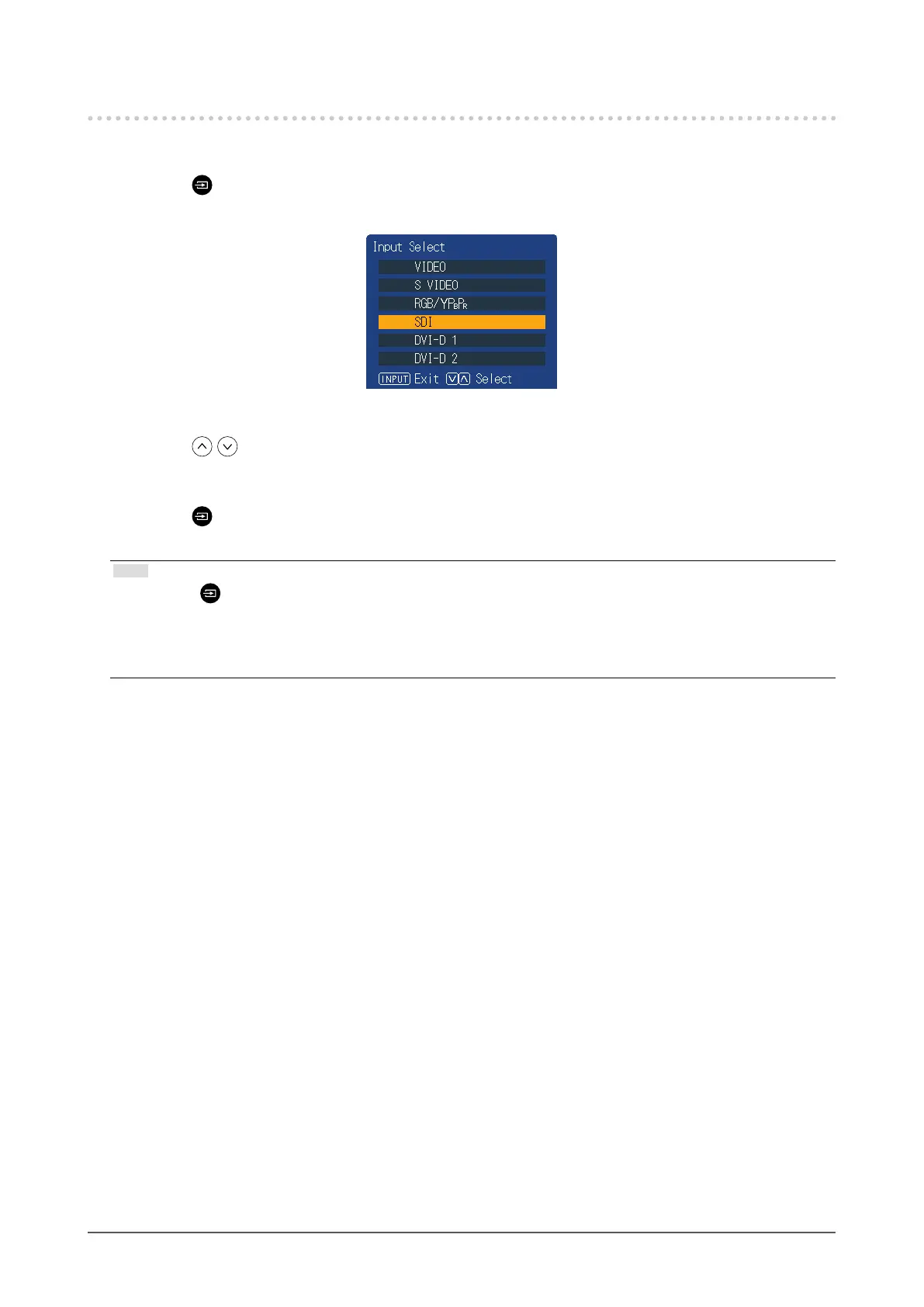
Press (INPUT).
The “Input Select” menu appears.
2.
Press to select an input signal.
This switches to the selected input signal.
3.
Press (INPUT).
The menu screen exits.
Note
• If you press (INPUT) while the “Input Select” menu is displayed in dual screen mode, the “Input Select” menu
of the subscreen is displayed.
• When RGB / YP
B
P
R
is selected, if the color is abnormal, set it correctly with “Input Cong” (page 8) on the
main menu.
• The “Input Select” menu will disappear after ve seconds have elapsed if no operation is performed.









 To Next Page