28
Chapter 3 Connecting Cables
3-1 ConnectingMorethanTwoPCstothe
Monitor
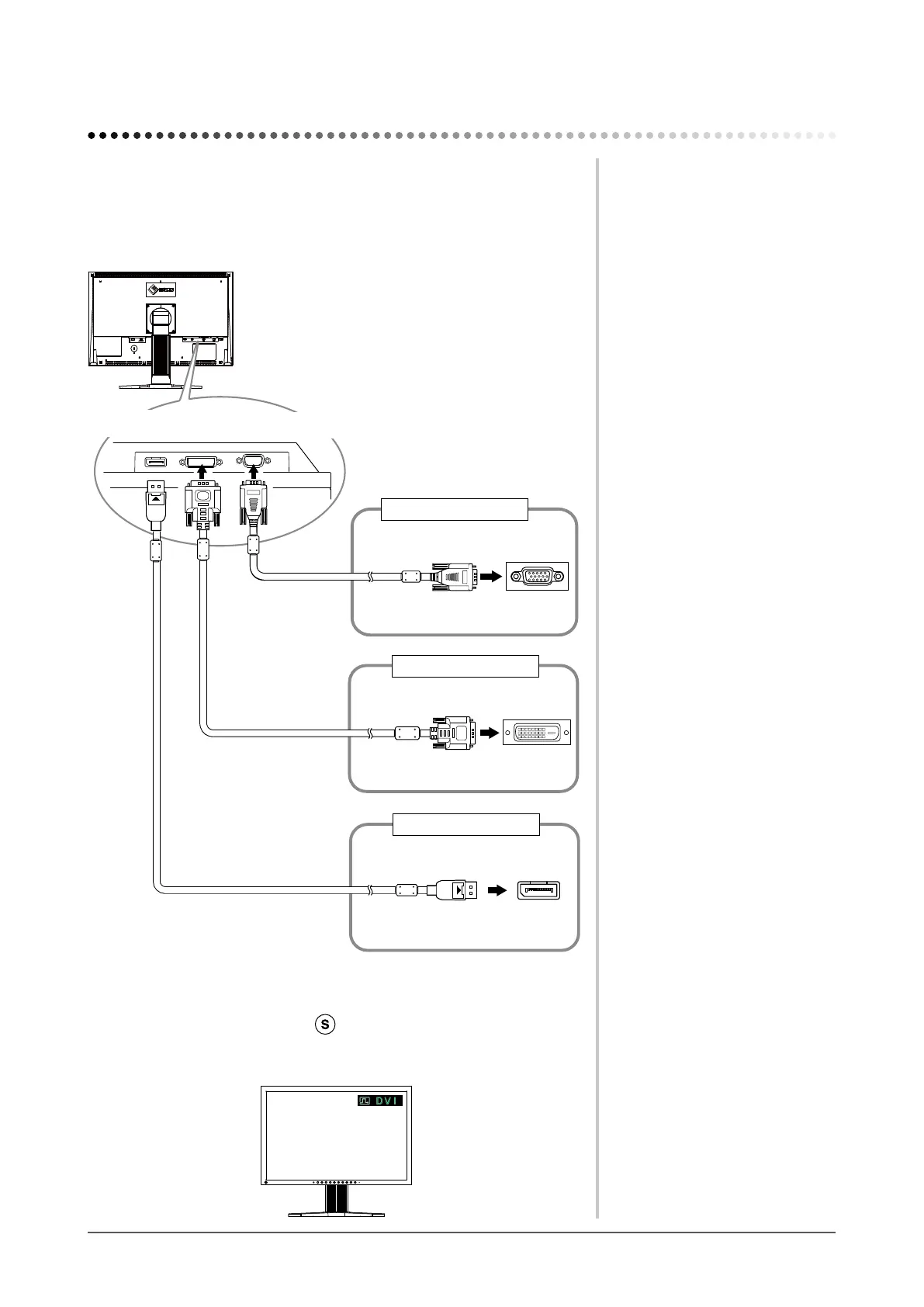
More than two PCs can be connected to the monitor through the D-Sub mini 15
pin, the DVI-D and the DisplayPort connector on the back of the monitor.
Connectionexamples
D-Sub mini
15-pin Connector
DVI-D connector
Signal cable
(supplied FD-C39)
Signal cable
(supplied MD-C87)
To PC 1
To PC 2
To PC 3
Signal cable
(PP200 option)
D-Sub mini
15-pin Connector
DVI-D connector
DisplayPort connector
DisplayPort
connector
Analog
Digital
Digital
●
Toswitchtheinputsignal
The input signal switches each time
is pressed.
When the signal is switched, the active input port name appears at the top right
corner of the screen.
Chapter3 ConnectingCables









 To Next Page