35
Chapter 5 Reference
5-2 FoldingtheEZ-UPstand
Perform the following procedures to fold the stand when re-packing a monitor
with an EZ-UP stand.
1
Removethecableholder.
2
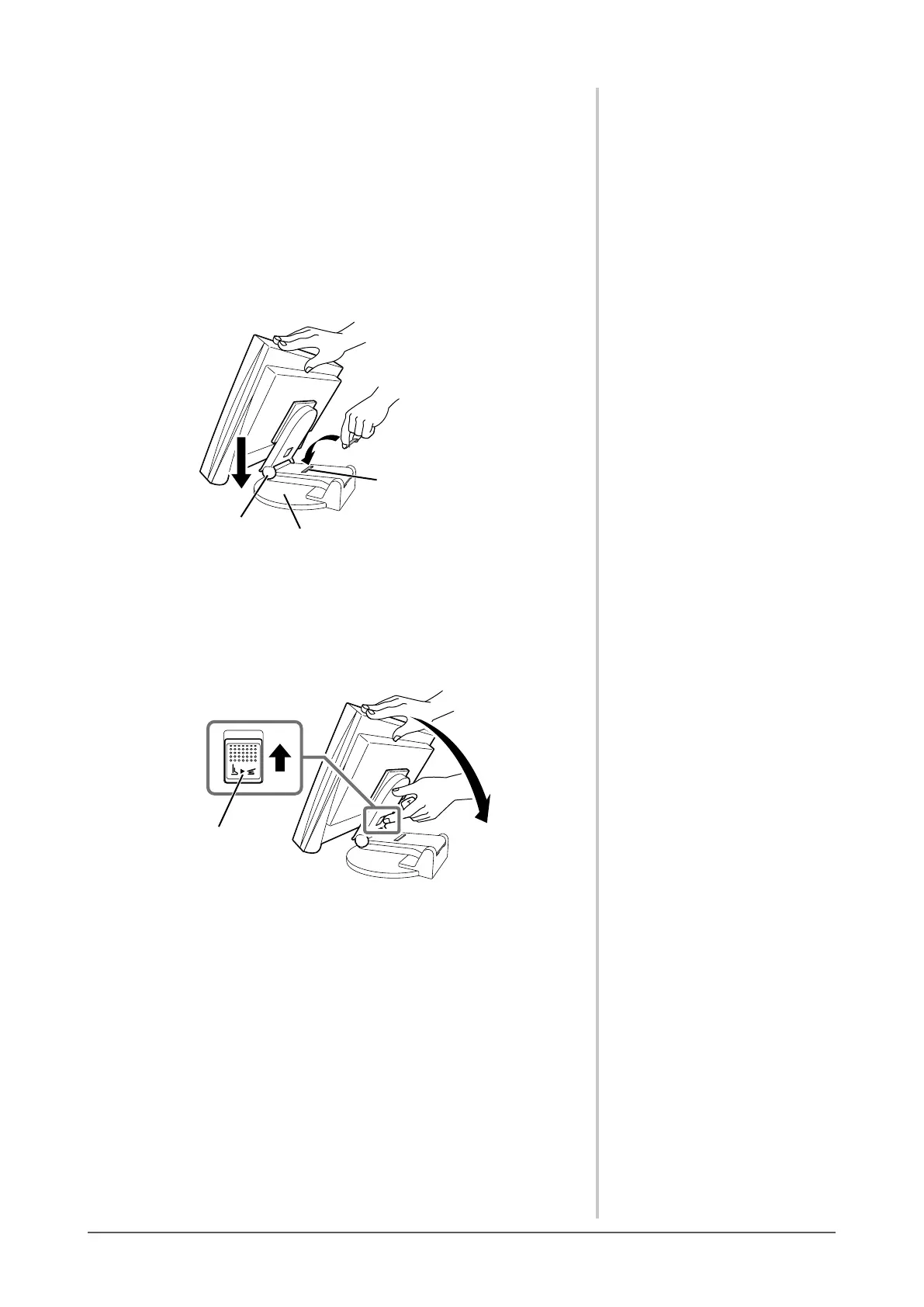
Lowerthemonitorscreenpositionuntilthehingeofthestand
touchesthestandbase,andattachthelockmetaltting.
Adjust the monitor angle so as the monitor screen not to touch the stand
base.
Hinge
Stand Base
Lock metal fitting
3
Fallthemonitorscreenbackwardwithkeepingslide-upthe
“Unlock”knob.
When maximally tilting (25º) the monitor screen backward, the “Unlock”
knob may be hard to be slid-up. Then, slightly tilt up the monitor to
vertical direction and slide-up the “Unlock” knob.
“Unlock” knob









 To Next Page