- 7 -
PREPARING THE GRAPHICS CARD
REMOVING THE STOCK COOLER
ASUS TUF-STRIX GEFORCE RTX 4090
Important! Before starting, make sure to have a clean, flat
surface to work on. It is recommended to put foam or soft
material to lay the graphics card on.
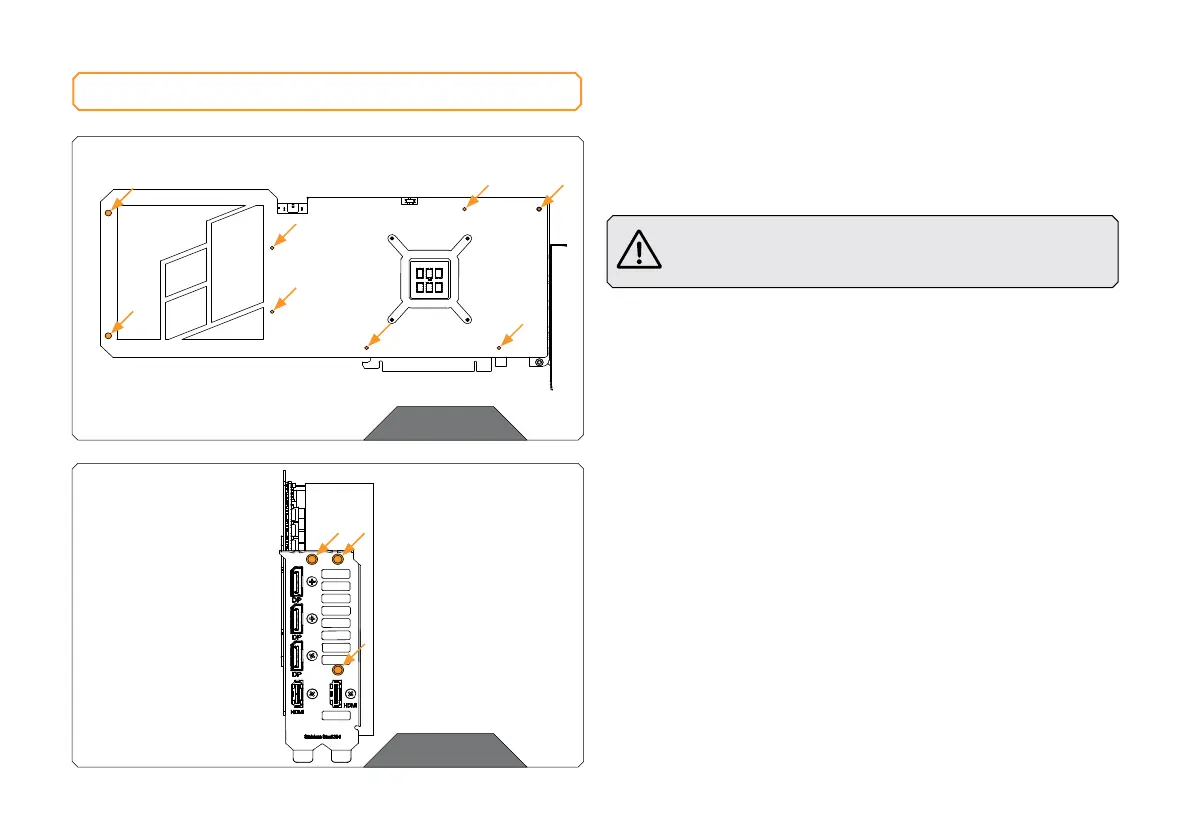
STEP 1
First, remove eight (8) screws from the backside of the Stock cooler
(using Phillips head screwdriver).
STEP 2
Unscrew three (3) screws from the I/O Bracket (using Phillips head
screwdriver). Unplug the connectors in order to remove the stock
cover from the GPU PCB.
STEP 1
STEP 2







 To Next Page