Section 3 - Page 6 of 6
3121-9001-0167_EN.03.00_QT_Manual 04/2016
eAG can be reported in either mmol/l or
mg/dl to match the units used to report
glucose measurments locally.
Selecting More will return you to the rst
secondary units screen.
Once a secondary unit (or none) has
been selected, then setup is complete
and the analyzer is ready to run a test.
Note: Changing the secondary reported unit will also change the secondary reported
units on previously run samples held in the memory of the analyzer, as these are
calculated each time they are displayed. Changing the primary reported unit will not
alter the primary units reported on previously run samples.
Secondary Units
(mmol/l)
eAG
More(mg/dl)
eAG
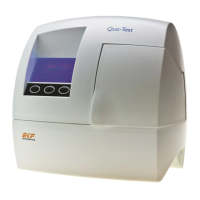
Functional Checking
Each time the Quo-Test Analyzer is switched on it performs a series of functional
checks of the system and optics. The analyzer must be powered off and powered on
at least once a week to allow the analyzer to perform the internal self-checks.
RefertotheTroubleshooting Guide and Error Messages section of this User Manual
to diagnose any problems, if they occur.
Correct operation of the system may be conrmed by running Quo-Test A1C Control
samples.
To run a control, read the Instructions For Use supplied with your Quo-Test A1C
Control Kit in combination with the Running a Quality Control section of this User
Manual.


 To Next Page