Section 4 - Page 7 of 8
3121-9001-0167_EN.03.00_QT_Manual 04/2016
Retrieving a Result from the Analyzer Memory
The results of the most recent 7,000 tests run on the analyzer are recorded in the
memory.Onlythemostrecent1,000testresultscanbeviewedontheanalyzer.Press
the File button on Quo-Test home screen. The most recently performed test result
will be shown on the screen.
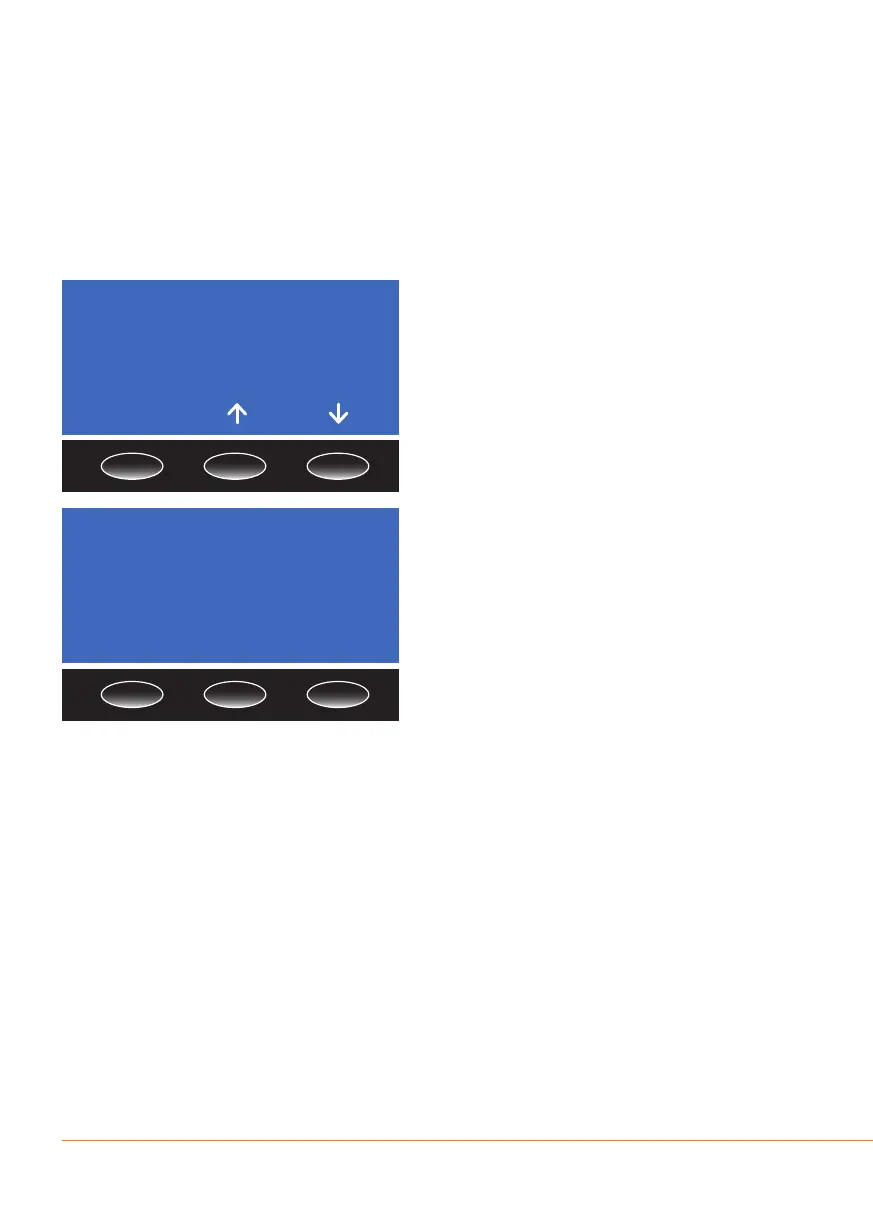
The sequential number of the test (in the
example below it is Test 53) will be shown
together with the time and date the test
was started along with the result. If the
OK button is pressed a second page will
be shown which includes the Operator
andPatientIDsandthecartridgelot
number.
PressthePrint button for a printed
copy of the result, if the optional printer
is attached, or press the Exit button to
returntothehomescreen.PresstheBack
button to return to the memory le.
The most recent 1,000 test results may
be accessed using the up/down arrow
buttons on the result screen as shown
above. To nd earlier test results contact
your local distributor or customer support.
Note: Changingthesecondaryreportedunit(seeSection3-Report Units) will also
change the secondary reported units on previously run samples held in the memory
of the analyzer, as these are calculated each time they are displayed. Changing
the primary reported unit will not alter the primary units reported on previously run
samples.
Test 00053
11.34 pm 21/06/13
7.1% A1C DCCT
54 mmol/mol IFCC
OK
Test 00053
Lot: 020130
Pat ID:
Op ID:
Print Exit Back


 To Next Page