Section 4 - Page 4 of 8
3121-9001-0167_EN.03.00_QT_Manual 04/2016
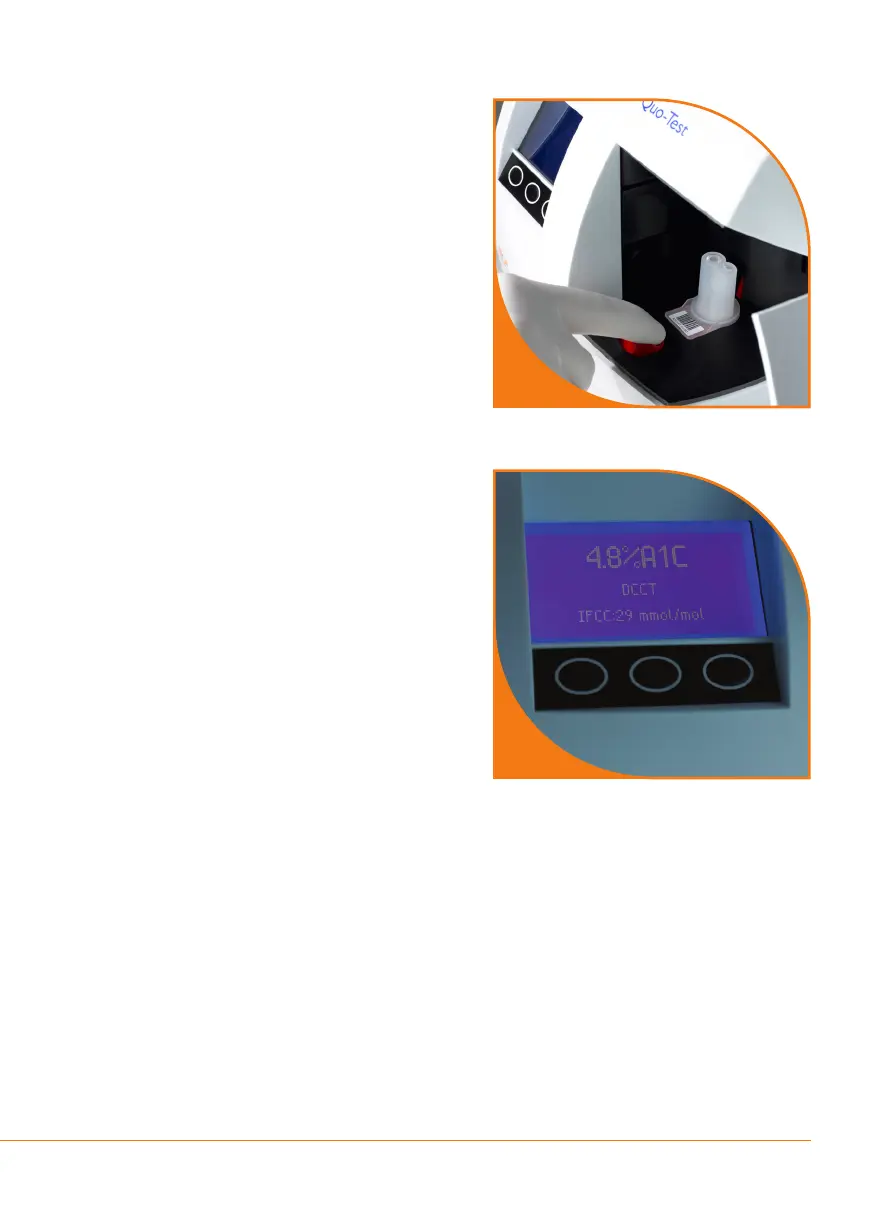
Step 8
Pulltheredslidetowardsthefrontof
the analyzer and close the door. The test
will start automatically.
You will be prompted to scan the
OperatorandPatientID,ifthese
features have been activated.
Note:Iftheanalyzerdisplays“Scan
Lot ****** Data Card” then scan the
calibrationbarcode(seeStep2).
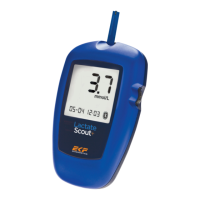
Step 9
When the test has nished the result will
be displayed on the screen and printed
on the (optional) printer, if connected.
Open the door and push the red slide
towardstherearoftheanalyzer.Remove
the used cartridge and dispose of it as
clinical waste.
Upon closing the analyzer door, the
display will return to the home screen
and the analyzer will be ready to run
another sample.
Note:SeeSection4-Retrieving a
Result from the Analyzer Memory
9
8


 To Next Page