ELAN M86A INSTALLATION MANUAL
© ELAN 2010 | All rights reserved.
Page 9
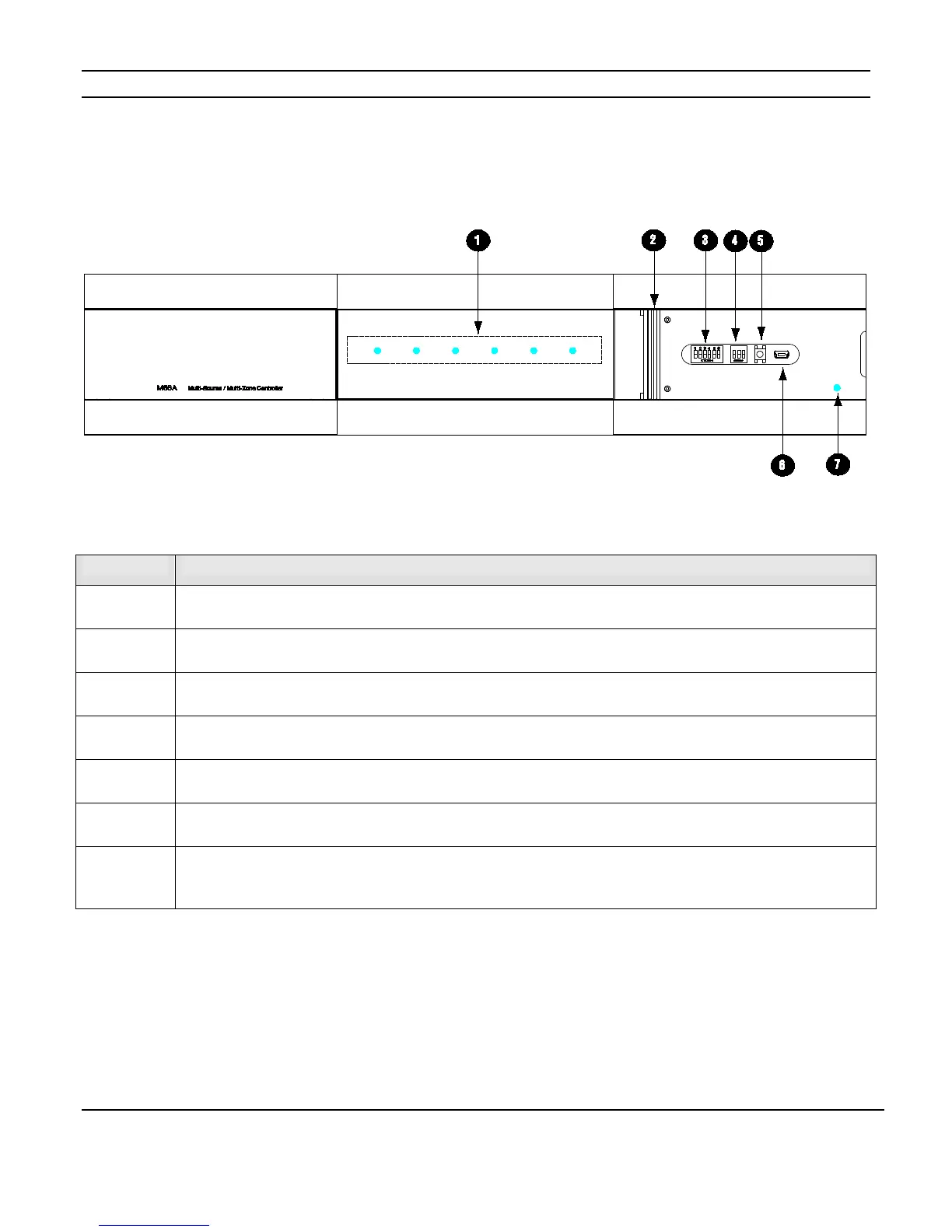
M86A Front Panel Indicators
Figure 1-1: M86A Front Panel Display
1
Zone Status Indicators
Solid blue when the zone is on, Flickers when IR is being received in the zone
2
Front Panel Access Door
(Shown Open)
3
Zone Pre-Amp Output Dip Switches
Sets Zone pre-amp outputs to fixed or variable
4
Chassis ID Dip Switches
Sets unit ID for chassis
5
B1 Button
Activates a test sequence to verify operation
6
USB-Mini-B Connection
Used to download chassis configuration information and for in-field firmware updates
7
Power LED
Solid blue when the M86A has AC power, Slow blink if unit is overheating, Fast blink if unit has shut down due to high
temperature


 To Next Page