ELAN M86A INSTALLATION MANUAL
© ELAN 2010 | All rights reserved.
Page 30
ELAN V8 Composite Video Router Integration
The ELAN V8 is a Composite Video Router that provides the ability to view up to 8 different
video sources in 8 separate areas (or 16 areas using an additional V8).
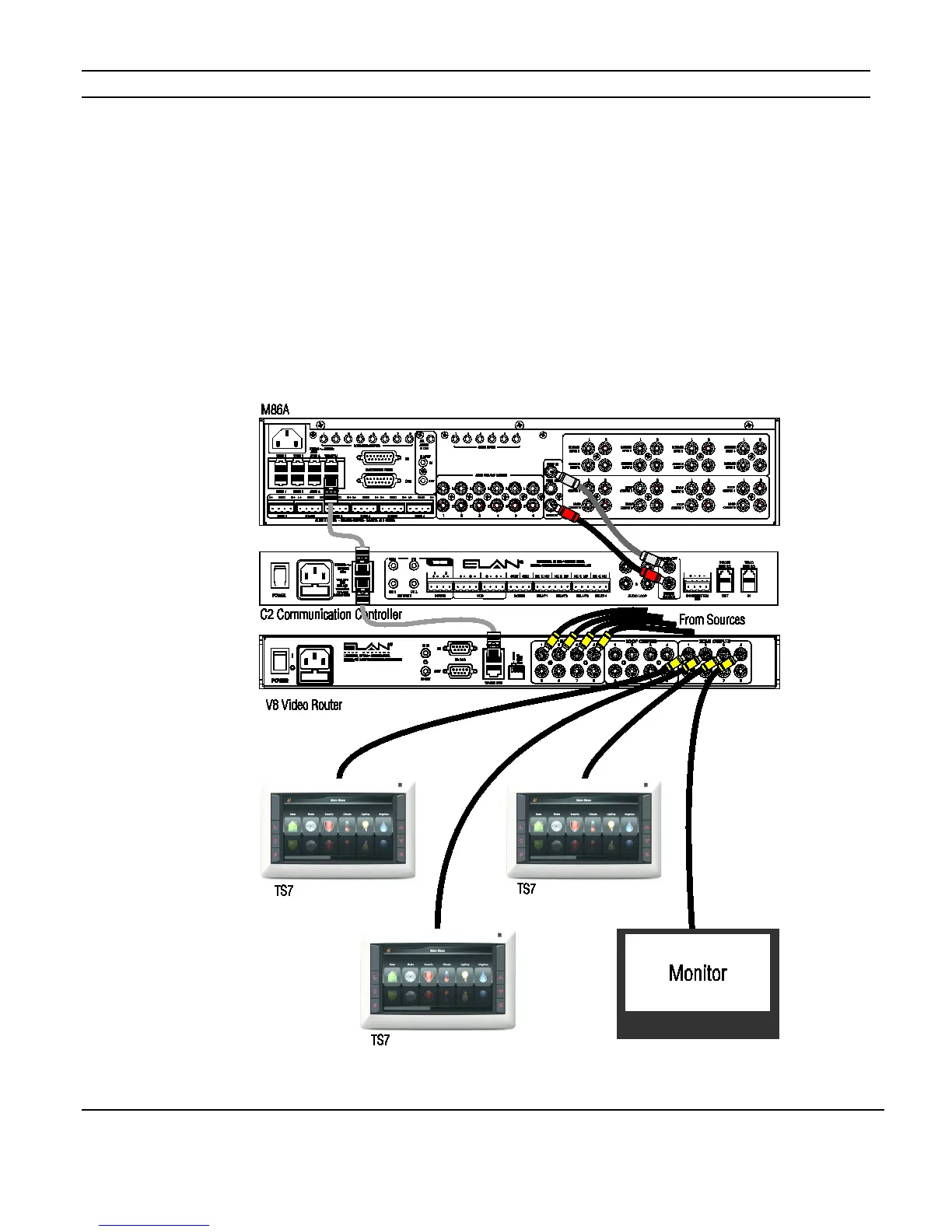
When used with a System Controller, the V8 is controlled by VIANet commands so the
VIANet Loop connection must be made. If a C2 Communication Controller is also being
installed, be sure to loop the VIANet connection through it as well.
Connect the composite video outputs of the sources to the composite video inputs of the
V8. Connect the Zone Outputs of the V8 to the monitor(s) or to TS7 Touchscreens video
inputs.
Figure 4-2: V8 Integration


 To Next Page