ELAN M86A INSTALLATION MANUAL
© ELAN 2010 | All rights reserved.
Page 31
Chapter 5: Operation and Settings
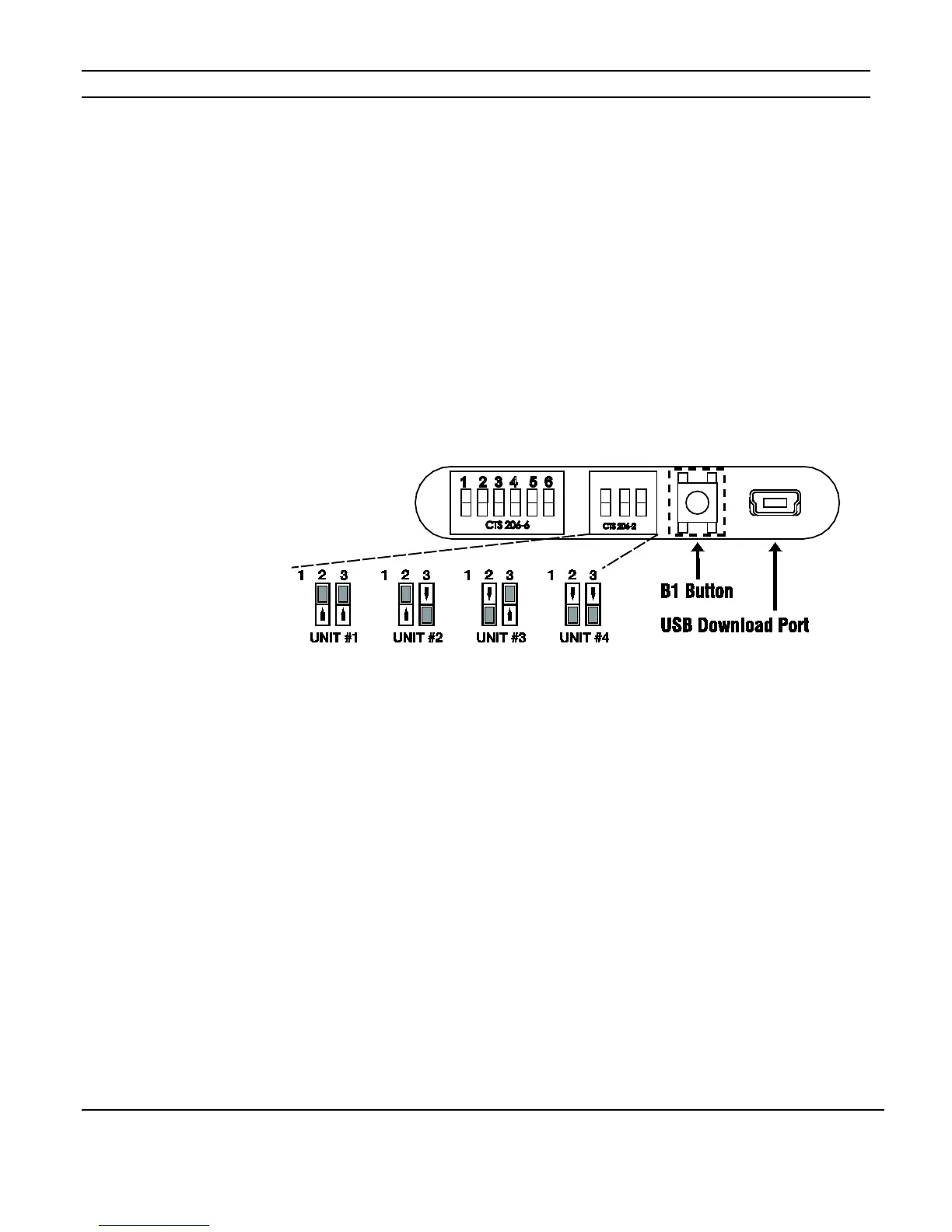
Unit ID DIP Switch Settings
The M86A has Unit ID DIP Switches located behind the front panel access door. The
Factory Default setting is Unit ID # 1. In a multi-chassis system, the MAIN chassis must be
set to Unit ID# 1.
NOTE: Dipswitch # 1 is not used.
Figure 5-1: Unit ID DIP Switches
B1 Button Operation
The B1 button is used for basic functionality testing of the M86A. After the installation is
completed, pressing the B1 button will initiate a test mode. The first button press will turn
all zones on to source # 1. Additional presses will cycle through all eight sources, then
turn the cooling fan on, and finally turn all zones and the fan off. Each chassis must be
tested independently.


 To Next Page