2. Operation Guide
2.3.4 Running a Program With the Standard Beat
2.4 Change the Speed Mode between 5 Minutes and 10 Minutes
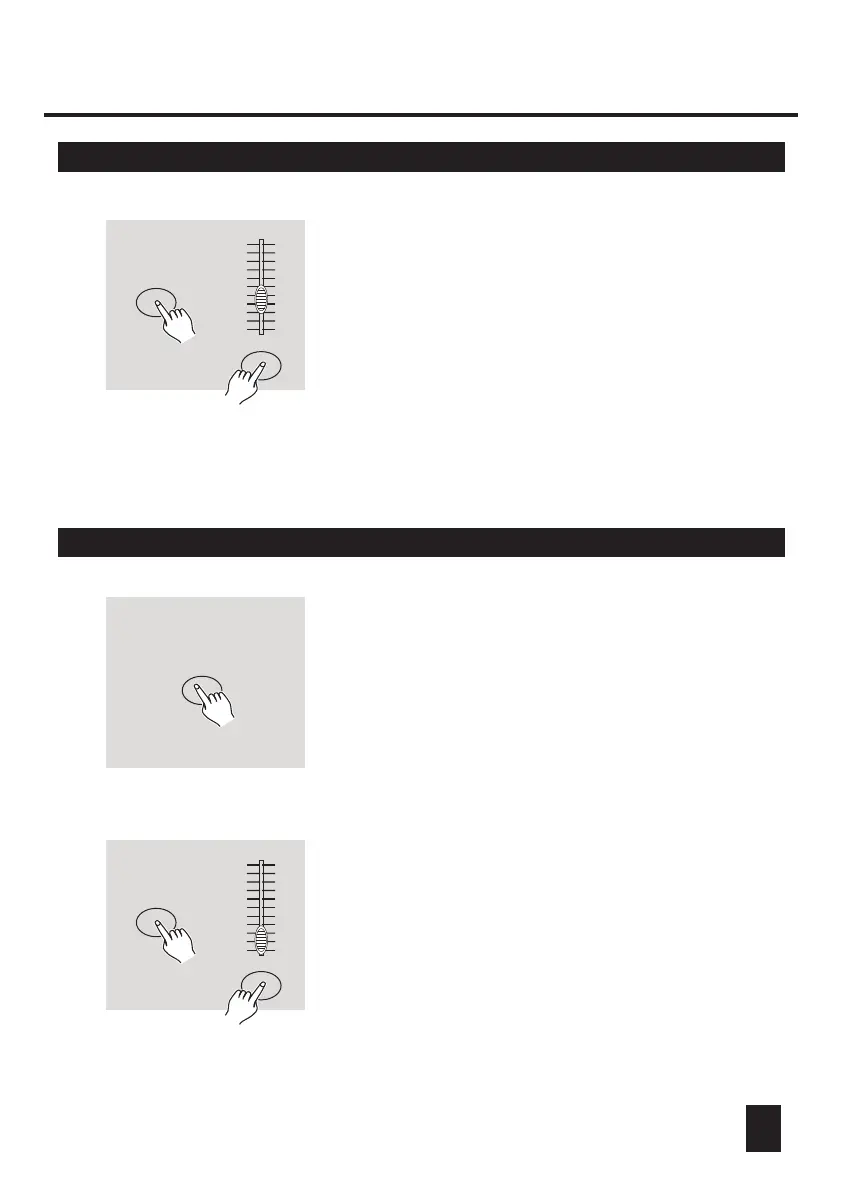
5. While pressing and holding down the Rec
Speed button, tap the Flash button(13-24) that
stores the program.
6. The program will then run with the set time or
beat when engaged.
7. Repeat steps 4 and 5 to set a new beat time.
REC SPEED
FLASH BUTTONS 13-24
RECORD
Flash Button 5 or 10
RECORD
1. Press and hold the Record button.
2. Tap the Flash button 5 or 10 three times
while holding down the Record button.
3. The 5MIN or 10MIN should light up indicating
the Speed slider is set to run in the 5 or 10
minute mode.
22
Tap this button
three times
10
8
6
4
2
0
10
8
6
4
2
0
10
8
6
4
2
0
10
8
6
4
2
0



 To Next Page