11
11EN
ELDES GATE CONTROLLER ESIM120/320 User Manual v.1.1
8. ADMINISTRATOR PHONE NUMBERS
The system supports up to 5 administrator phone numbers identied as Admin 1 through 5. When the phone number is set, the administra-
tor will be able to congure and control the system by SMS text messages as well as by free of charge phone call and receive the input alarm
SMS text messages from the system (see 14.1. Input Names and Alarm Notication). The system allows to assign output C1, output C2
or both outputs (simultaneous control) to a certain administrator.
By default, the system accepts incoming calls and SMS text messages from any phone number. Once the administrator phone number is
listed, the system will ignore any incoming calls and SMS text messages from a non-listed phone number as well as it will reject the SMS
text messages containing wrong SMS password even from a listed administrator phone number. For more details on how to enable output
control from a non-listed phone number, please refer to 11.5. Output Control from any Phone Number.
To set Admin 1 phone number is mandatory (using the device without entered administrator number is forbidden!), while the other 4 are
optional. The supported phone number format is the following:
• International (w/o plus) – The phone numbers must be entered starting with an international country code in the following format:
[international code][area code][local number], example for UK: 44170911XXXX1.
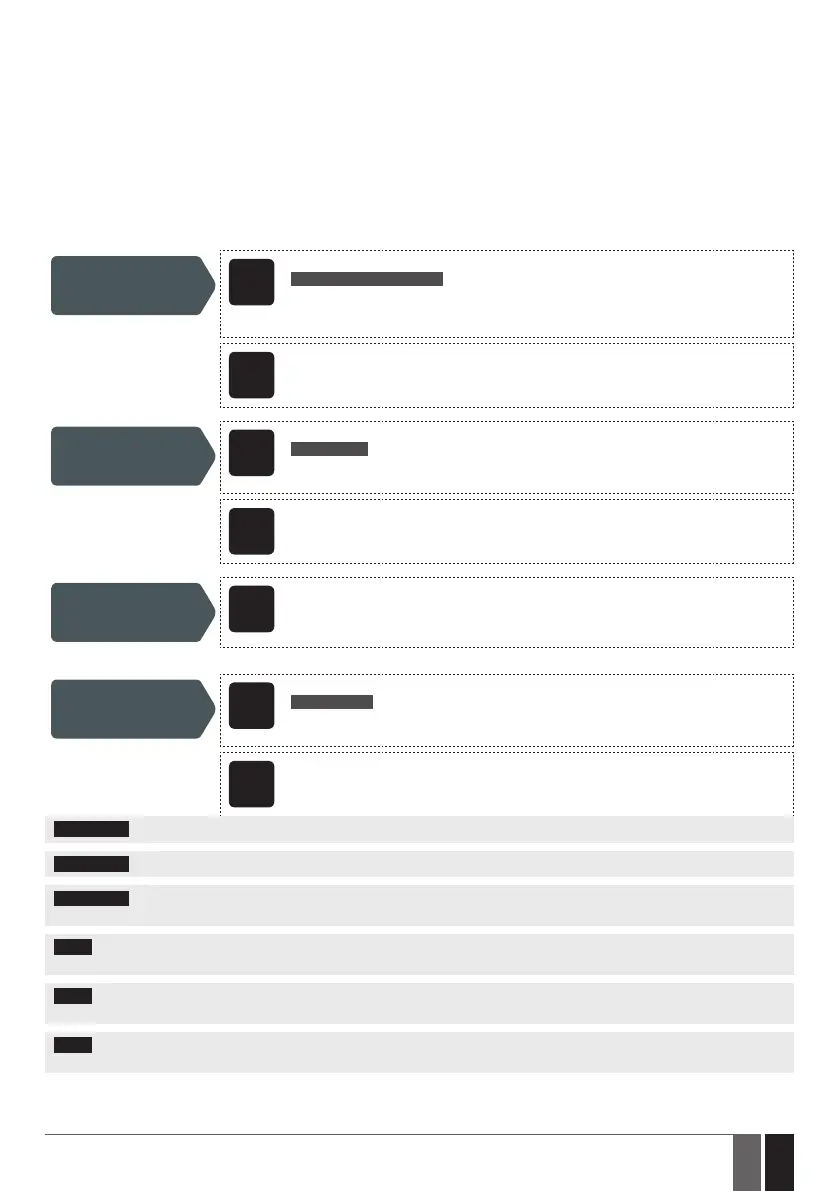
Set administrator
phone number
SMS
SMS text message content:
ssss_NRas:ttteeellnnuumm
Value: ssss – 4-digit SMS password; as – administrator phone number slot, range – [1... 5];
ttteeellnnuumm – up to 15 digits administrator phone number.
Example: 1111_NR1:44170911XXXX1
Cong
Tool
This operation may be carried out from the PC using the ELDES Conguration Tool software.
View administrator
phone numbers
SMS
SMS text message content:
ssss_HELPNR
Value: ssss – 4-digit SMS password.
Example: 1111_HELPNR
Cong
Tool
This operation may be carried out from the PC using the ELDES Conguration Tool software.
Assign output
(-s) to individual
administrator
Cong
Tool
This operation may be carried out from the PC using the ELDES Conguration Tool software.
Delete administrator
phone number
SMS
SMS text message content:
ssss_NRas:DEL
Value: ssss – 4-digit SMS password; as – administrator phone number slot, range – [2... 5].
Example: 1111_NR2:DEL
Cong
Tool
This operation may be carried out from the PC using the ELDES Conguration Tool software.
ATTENTION: NEVER set a phone number of the device’s SIM card as an administrator phone number!
ATTENTION: Once Admin 1 phone number is set, the system will allow only to modify it.
ATTENTION: Multiple administrator phone numbers can be set by a single SMS text message, Example: 1111_NR1:44170911XXXX1_
NR5:44170911XXXX2_NR2:44170911XXXX3_NR3: 44170911XXXX4
NOTE: Multiple administrator phone numbers can be deleted by a single SMS text message, Example: 1111_NR2:DEL_NR4:DEL_
NR3:DEL
NOTE: The administrator can control any output by SMS text message regardless of the output assigned to the administrator phone number
(see 11.3. Output Control by SMS Text Message).
NOTE: By default, the system is restricted to send out up to 25 SMS text messages daily and up to 400 SMS text messages monthly. For
more details on SMS text message delivery restriction management, please refer to 16.1. SMS Text Message Delivery Restrictions
For more details on output control, please refer to 11. OUTPUTS.


 To Next Page