17
17EN
ELDES GATE CONTROLLER ESIM120/320 User Manual v.1.1
11. OUTPUTS
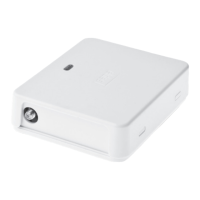
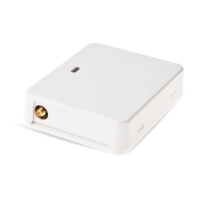
The system comes equipped with 2 built-in outputs. The output is intended for connection and control of the gate automation device by
the following methods:
• Free of charge phone call from the user or administrator phone number (see 11.2. Output Control by Free of Charge Phone Call).
• SMS text message from the administrator phone number (see 11.3. Output Control by SMS Text Message).
• Automatically in accordance with the scheduled weekdays and time (see 11.6. Automatic Output Control).
• ELDES Cloud Services via browser or by Android/iOS mobile application (see 21. ELDES CLOUD SERVICES).
To set an output type, please refer to the following conguration method.
Set output as NO
(normally-open) or NC
(normally-closed)
Cong
Tool
This operation may be carried out from the PC using the ELDES Conguration Tool software.
The system allows to view the current output state by the following conguration method.
View output state
SMS
SMS text message content:
ssss_STATUS
Value: ssss – 4-digit SMS password.
Example: 1111_STATUS
ATTENTION: Once the scheduler, set up for automatic output control comes into eect, the user/administrator will NOT be able to
control the output by phone call and SMS text message (see 11.6. Automatic Output Control).
11.1. Output Names
The outputs have names that can be customized. Typically, the name species a device type connected to a determined output, for exam-
ple: Gate. The name can be used instead of output number when controlling the output by SMS text message.
By default, the output names are: C1 – Controll1, C2 – Controll2.
Set output name
SMS
SMS text message content:
ssss_Co:out-name
Value: ssss – 4-digit SMS password; o – output number, range [1 – output C1; 2 – output C2];
out-name – up to 16 characters output name.
Example: 1111_C1:Gates
Cong
Tool
This operation may be carried out from the PC using the ELDES Conguration Tool software.
View output name
SMS
SMS text message content:
ssss_STATUS
Value: ssss – 4-digit SMS password.
Example: 1111_STATUS
Cong
Tool
This operation may be carried out from the PC using the ELDES Conguration Tool software.
ATTENTION: Space, colon, semi-colon characters, parameter names and/or values, such as PSW, STATUS, ON, OFF etc. are NOT allowed
in output names.
11.2. Output Control by Free of Charge Phone Call
To open or close the gate, dial the system’s phone number from any available user or administrator phone numbers (see 10. USER PHONE
NUMBER DATABASE and 8. ADMINISTRATOR PHONE NUMBERS for phone number management). The phone call is free charge as the
system rejects it and turns ON/OFF the output (-s) for the listed time period (pulse; by default – 2 seconds) resulting in the gate opening or
closing, depending on the current gate state and selected output type NO or NC. If there is more than one listed caller dialing to the system
at the same time, the system will accept the incoming call from the caller who was the rst to dial while other caller (-s) will be ignored.
The system supports a conrmation phone call to user/administrator phone number. For more details, please refer to 11.4. Output Con-
trol Conrmation by Call Back


 To Next Page