9
9EN
ELDES GATE CONTROLLER ESIM120/320 User Manual v.1.1
4. GENERAL OPERATIONAL DESCRIPTION
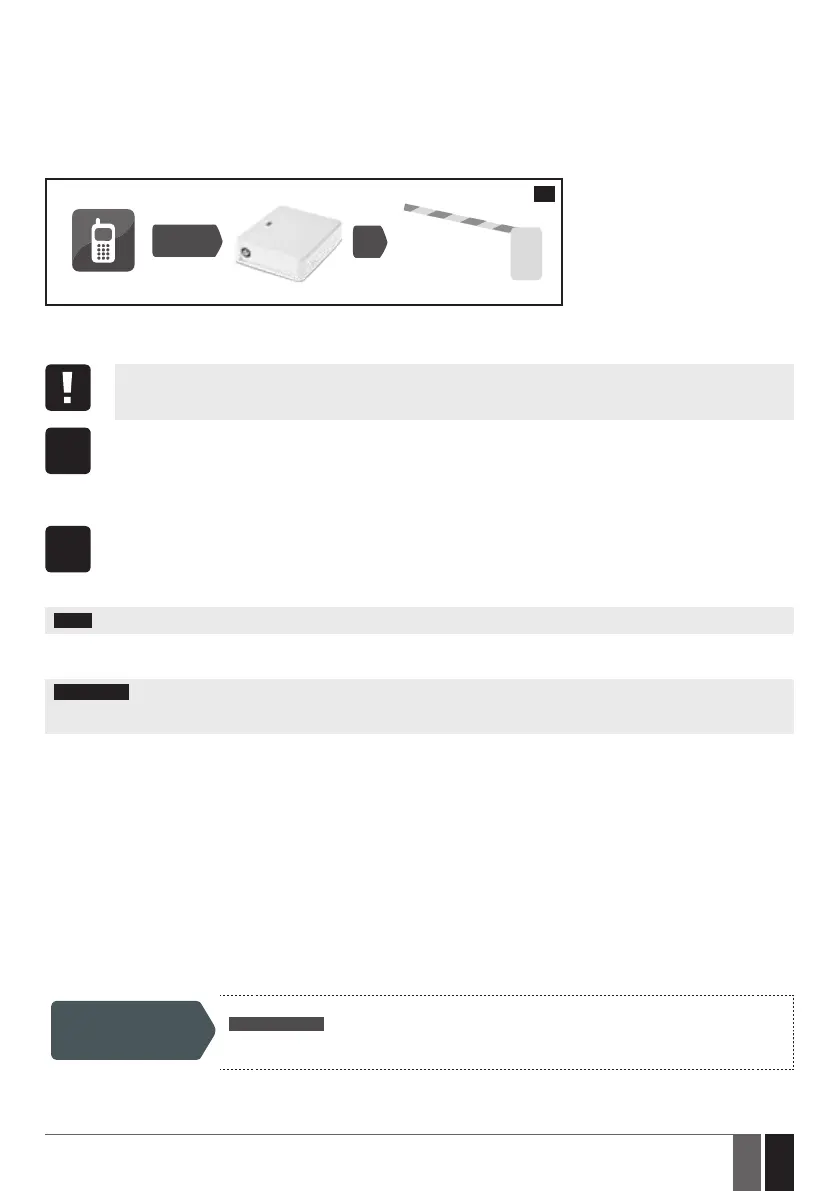
When a phone call is made to the phone number of the SIM card inserted in ESIM120/ESIM320, the system will verify if the caller’s phone
number exists in the device database. If the caller is one of the 5 administrators or the phone number belongs to one of the 2000 database
users, the system will reject the phone call, thus making the phone call free of charge, and open the gate. If the phone number is not recog-
nized, the system will reject the phone call and ignore it. The gate controller can also control your gate automatically in accordance with the
scheduled time or by sending an SMS text message from the administrator’s phone number.
By connecting a sensor to one of the 3 inputs, the administrators can receive SMS text messages regarding the gates that failed to close
during the set time period.
User/Admin
ESIM120/ESIM320
CALL
7
5. CONFIGURATION METHODS
5.1. SMS Text Messages
In this document the underscore character ”_” represents one space character. Every underscore character must be re-
placed with a single space character. There must be no spaces or other unnecessary characters at the beginning and at the
end of the SMS text message.
SMS
In order to congure and control the system by SMS text message, send the text command to the ESIM120/ESIM320 system
phone number from one of the listed administrator phone numbers. The structure of SMS text message consists of 4-digit
SMS password (the default SMS password is 0000 – four zeros), the parameter and value. For some parameters the value
does not apply e. g. STATUS. The variables are indicated in lower-case letters, while a valid parameter value range is indicated
in brackets.
5.2. ELDES Conguration Tool Software
Cong
Tool
Software ELDES Conguration Tool is intended for the gate controller ESIM120/ESIM320 conguration locally via USB port or
remotely via GPRS network connection. This software simplies system conguration process by allowing to use a personal
computer in the process. Before starting to use ELDES Conguration Tool software, please read the user guide provided in the
software’s HELP section.
ELDES Conguration Tool is freeware and can be downloaded from
eldesalarms.com
NOTE: ELDES Conguration Tool software is secured with SMS password. The default SMS password is 0000 (see 7. SMS PASSWORD).
5.2.1. Remote Connection
ATTENTION: When ELDES Cloud Services feature is enabled (see 21. ELDES CLOUD SERVICES), remote connection via ELDES Cong-
uration Tool software becomes inaccessible. In such case you may use the remote conguration feature by accessing your ELDES Cloud
Services account via web-browser.
ELDES Conguration Tool software provides remote system conguration ability via Internet using one of the following methods:
• ELDES proxy server (recommended). The connection can be established on the system via GPRS network.
• Running TCP/IP server on ELDES Conguration Tool (advanced). The connection can be established on the system via GPRS network.
In order to start using the remote conguration feature, please run the step-by-step wizard and follow the steps provided in the start page
of ELDES Conguration Tool software. Please, note that it will be necessary to send an SMS text message to the system’s phone number
in order to initiate the remote connection. By following the steps you will be instructed on what text must be sent to the system’s phone
number in such case.
5.2.2. Ending the Remote Connection Session
After the system conguration is complete, use one of the following methods to end the conguration process:
• Click Disconnect or Stop button and close ELDES Conguration Tool software;
• The session will automatically expire in 20 minutes. Before the last 5 minutes, the software will oer the user to extend the session
for another 20 minutes.
• Alternatively, the connection with the server can be terminated at any time by sending an SMS text message.
Terminate the
connection
SMS text message content:
ssss_ENDCONFIG
Value: ssss – 4-digit SMS password.
Example: 1111_ENDCONFIG
Once the session is expired or terminated, the system will reply with an SMS text message conrming the end of the session.


 To Next Page