EVERSE Battery-powered Loudspeaker Amplifier DSP | en 29
Bosch Security Systems, LLC
User manual
2024-12 | 05 |
8. BATTERY status - Indicates the battery level of the loudspeaker and if the battery is
charging (when MAINS is connected).
9. FUNCTION indicator - Indicates whether the system is in MIXER or BASIC mode.
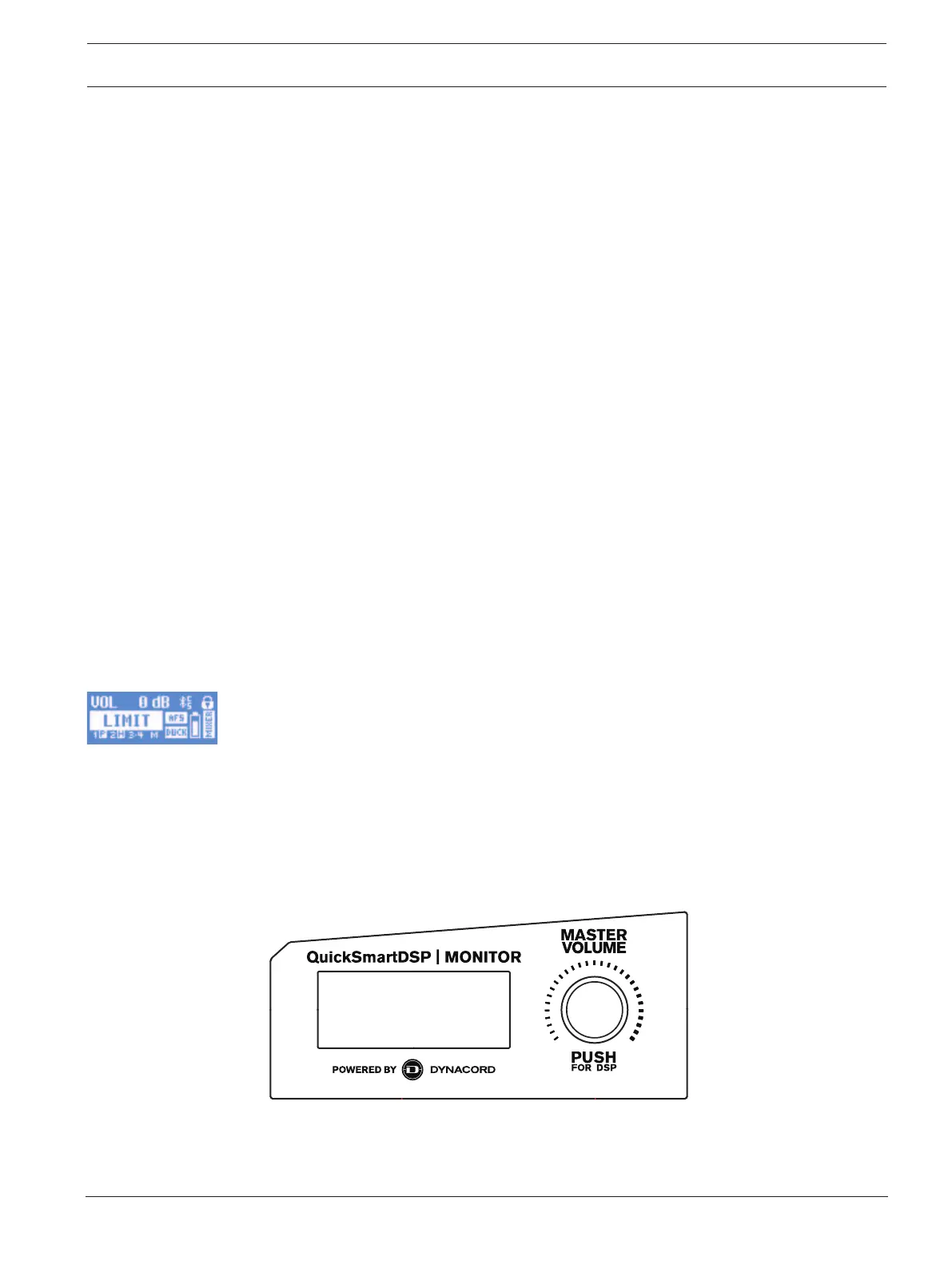
10. Status display - Alternately shows the following:
1 - Indicates the selected preset number. There are five user-defined presets available.
E - Edited. Indicates the preset is not saved. When the preset is saved, the E is not
displayed.
Lock status - Indicates that the LCD display and controls are locked. Press the
MASTER VOL knob or channel select soft key to unlock.
11. S - Audio streaming. The available options are:
OFF - DISABLED
FLASHING - PAIRING MODE (120s)
SOLID - CONNECTED
12. C - Control app. The available options are:
OFF - DISABLED
FLASHING - PAIRING MODE
SOLID - CONNECTED
System protection
System protection limiters indicate when a system is exceeding recommended usage by
indicating input CLIP or output LIMIT on the LCD display.
CLIP
CLIP indicates that the signal to the loudspeaker is too high, resulting in a clipped signal
into the loudspeaker.
If CLIP is shown:
4 Reduce the INPUT GAIN and/or the signal on the mixer or source equipment.
LIMIT
LIMIT protects the loudspeaker from short-term peaks and long-term overload, which can
cause distortion. When LIMIT is displayed on the screen, the limiter is active.
If the LIMIT indication is shown often or continuously:
4 Reduce the output volume (MASTER VOL). This is strongly recommended.
5.3 DSP controls
An integrated DSP control menu allows the user to select multiple DSP system settings on
the loudspeaker.
Accessing the DSP control menu
To access the DSP control menu:



 To Next Page