EVERSE Battery-powered Loudspeaker Amplifier DSP | en 27
Bosch Security Systems, LLC
User manual
2024-12 | 05 |
5 Amplifier DSP
5.1 Amplifier DSP controls
The amplifier has a combination of controls and connectors to ensure the most versatile
loudspeaker system.
Loudspeaker control and monitoring interface
These DSP control menu selections are available for the EVERSE .
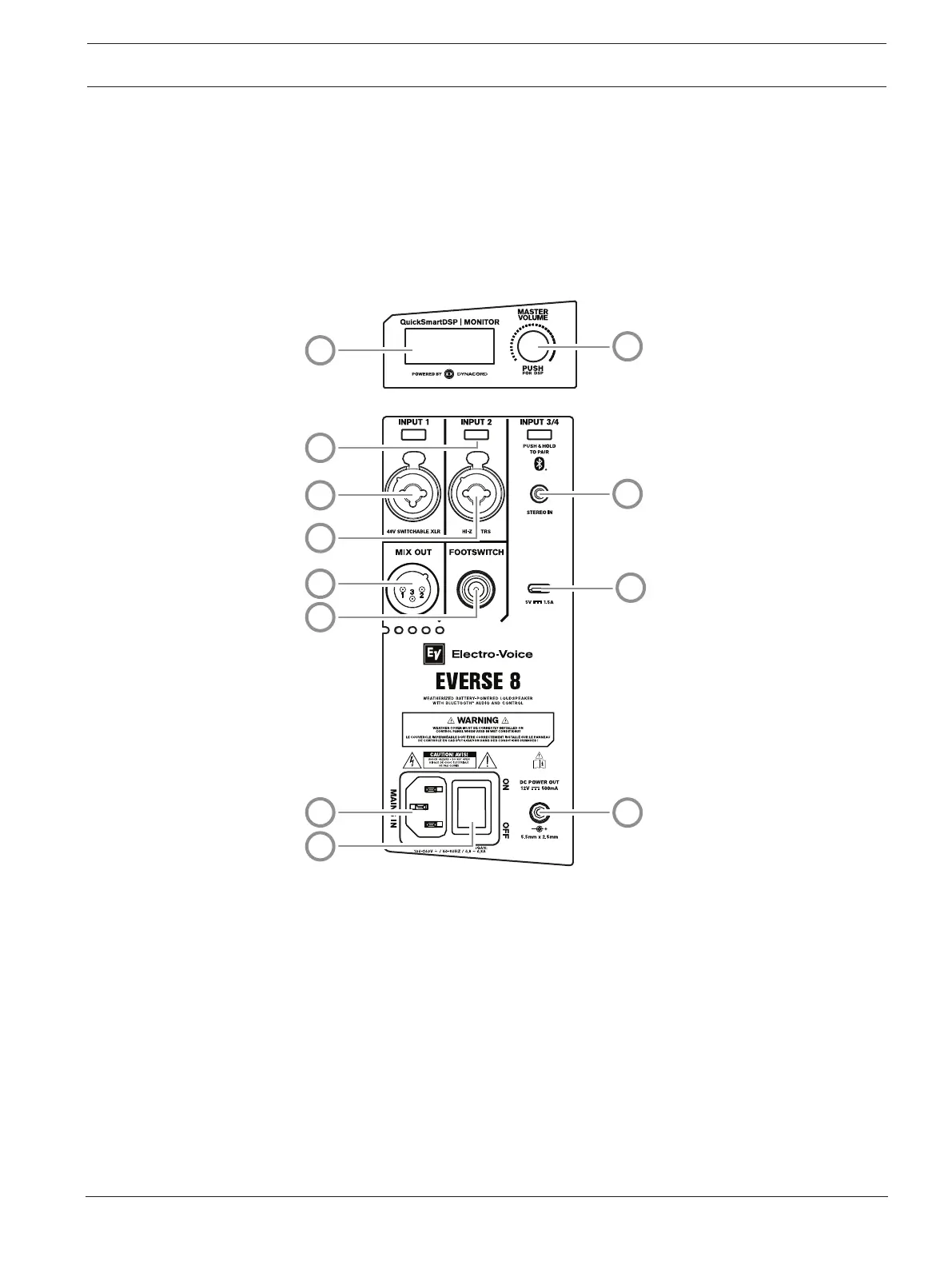
Figure5.1: Loudspeaker amplifier panel
1. LCD – DSP control and monitoring interface.
2. MASTER VOL - Adjusts the sound level and navigates the DSP control menu.
DSP - Scroll through the menu and select the available choices. Push the MASTER VOL
knob to enter the DSP control menu.
3. Input selection soft keys - Press the soft key to select the input and access the DSP
control menu for the channel. Press the softkey a second time to deselect the channel
and return to the main DSP.
4. INPUT 1 - Balanced INPUT for the connection of signal sources like mixing consoles,
instruments, or microphones. Connections can be established using ¼-inch TRS or XLR
connectors. The XLR connector is selectable for 48V phantom power.
5. INPUT 2 - Balanced INPUT for the connection of input sources like mixing consoles, or
microphones via XLR connector or Hi-Z instrument connection via TRS.



 To Next Page