5. You can change the default weight value
with or . Touch .
6. When the set time ends, an acoustic
signal sounds for two minutes.
flashes.
7. Touch a sensor field to stop the acoustic
signal.
8. Deactivate the appliance.
8.4 How to set: automatic
programmes with Food Sensor
The core temperature of the food is default
and fixed in programmes with the core
temperature sensor. The programme ends
when the appliance is at the set core
temperature.
1. Activate the appliance.
2. Touch .
3. Install the core temperature sensor.
Refer to "Core temperature sensor".
4. Touch or to set the programme
for the core temperature sensor.
The display shows the cooking time, and
.
5. Touch or the settings save
automatically after five seconds.
When the set time ends, an acoustic signal
sounds for two minutes. flashes.
6. Touch a sensor field or open the door to
stop the acoustic signal.
7. Deactivate the appliance.
9. USING THE ACCESSORIES
WARNING!
Refer to Safety chapters.
9.1 Food Sensor
Food Sensor - measures the temperature
inside the food. When the food is at the set
temperature, the oven turns off.
Set 2 temperatures:
• the oven temperature: minimum 120 °C,
• the food core temperature.
For the best cooking results:
• Ingredients should be at the room
temperature.
• Food Sensor - do not use it with liquid
dishes.
• Food Sensor - during cooking it must
remain in the dish.
The oven calculates the approximate cooking
time, it may change during cooking.
When you put the accessory into the socket,
you cancel the settings for the clock
functions.
Food categories: meat, poultry and
fish
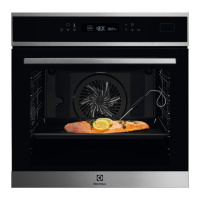
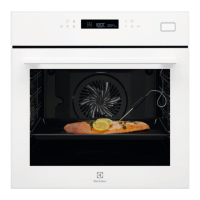
1. Activate the appliance.
2. Insert the tip of the core temperature
sensor (with on the handle) into the
centre of the meat or fish, in the thickest
part as possible. Make sure that at least
3/4 of the core temperature sensor is
inside of the dish.
3. Put the plug of the core temperature
sensor into the socket located in the front
frame of the appliance.
16 ENGLISH



 To Next Page