7
3.1 Service Tips
These models are equipped with Service functions
which help service technicians diagnose the machine
and find issues more easily and directly.
The Service functions include:
• Error code read out: The error codes of the last 3
errors shall be displayed
• Actuator Test: The actuators can be turned on
one-by-one
• LED Test: The test turns on all LEDs and the
display on the panel. Also, this test will erase all
saved error codes
• Functional Test Cycle: A short wash cycle which
involves all actuators
When diagnosing a machine, it is recommended that
the service technician should follow these steps in
order:
Step 1: Run the Error code read out. Record the 3 error
codes and look up their meanings.
3. Service Functions
Step 2: Run the Actuator Test. Pay attention to the
actuators which relate to the errors found in Step 1.
Step 3: Run the LED Test. The saved error codes will
be erased during this test.
Step 4: Run a test cycle.
Step 5: Run the Error code read out again.
If necessary, repeat the steps.
3.2 Location of LEDs and Buttons
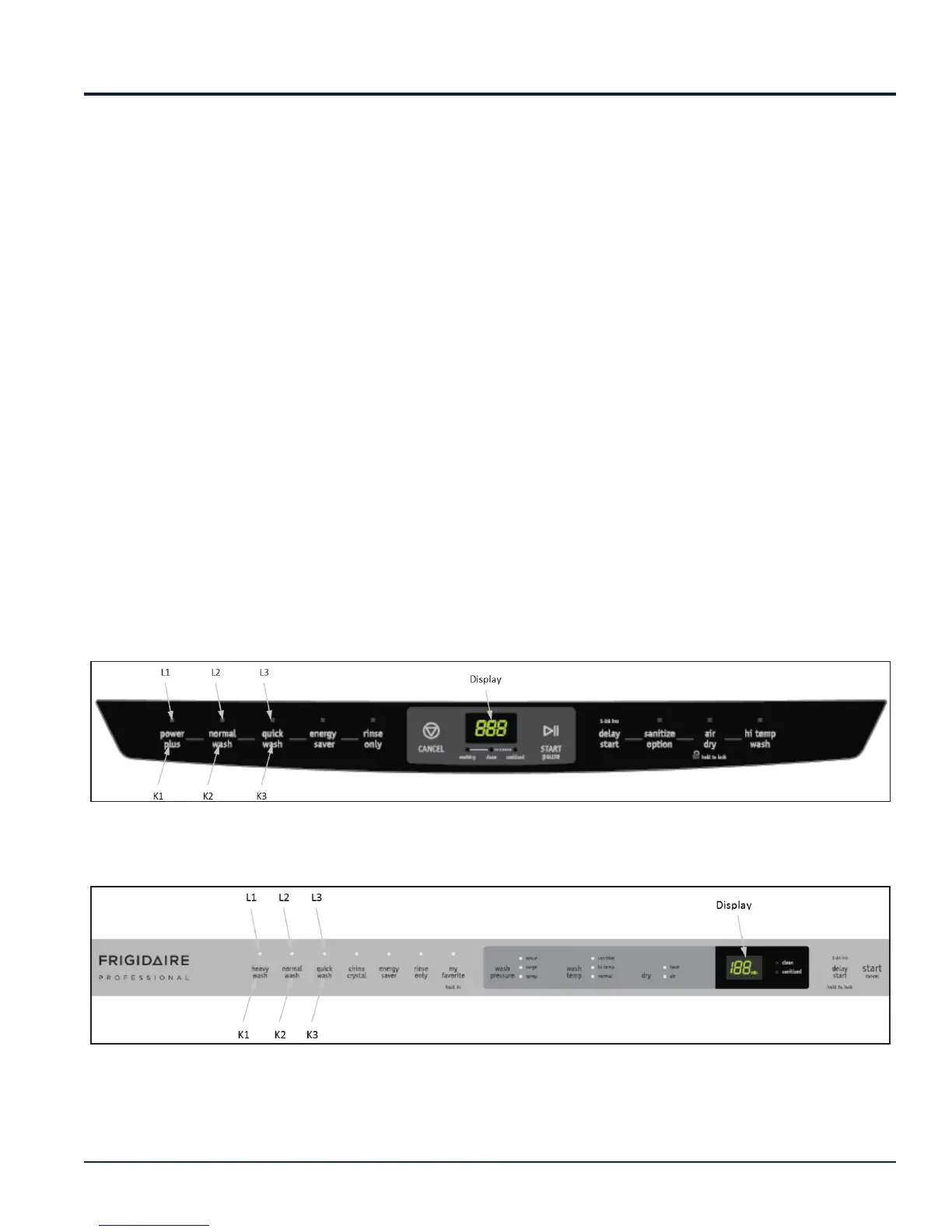
There are only 3 buttons involved in the service
function test. For all models in the Durham range,
the first 3 buttons from the left are used for input. The
output of the service functions are shown by the LEDs
above these 3 buttons and in the display.
For models not equipped with a display, 2 additional
LEDs on the right-hand-side of the control panel are
used for output.
FGCD2456QW/FGCD2456QB/FGCD2456QF
FGID2474QW/FGID2474QB/FGID2474QF/FPID2495QF/FPID2497QF



 To Next Page