48
Controlpanel
MountthenewcontrolsystemCPU
StartbymountingthecontrolknobunitonthecontrolsystemCPU.Fastenthescrew(A).
MounttheI/Omoduletype10andfastenthescrew(C).
Mountthetwogroundingbrackets(B)onthenewcontrolsystemCPU.
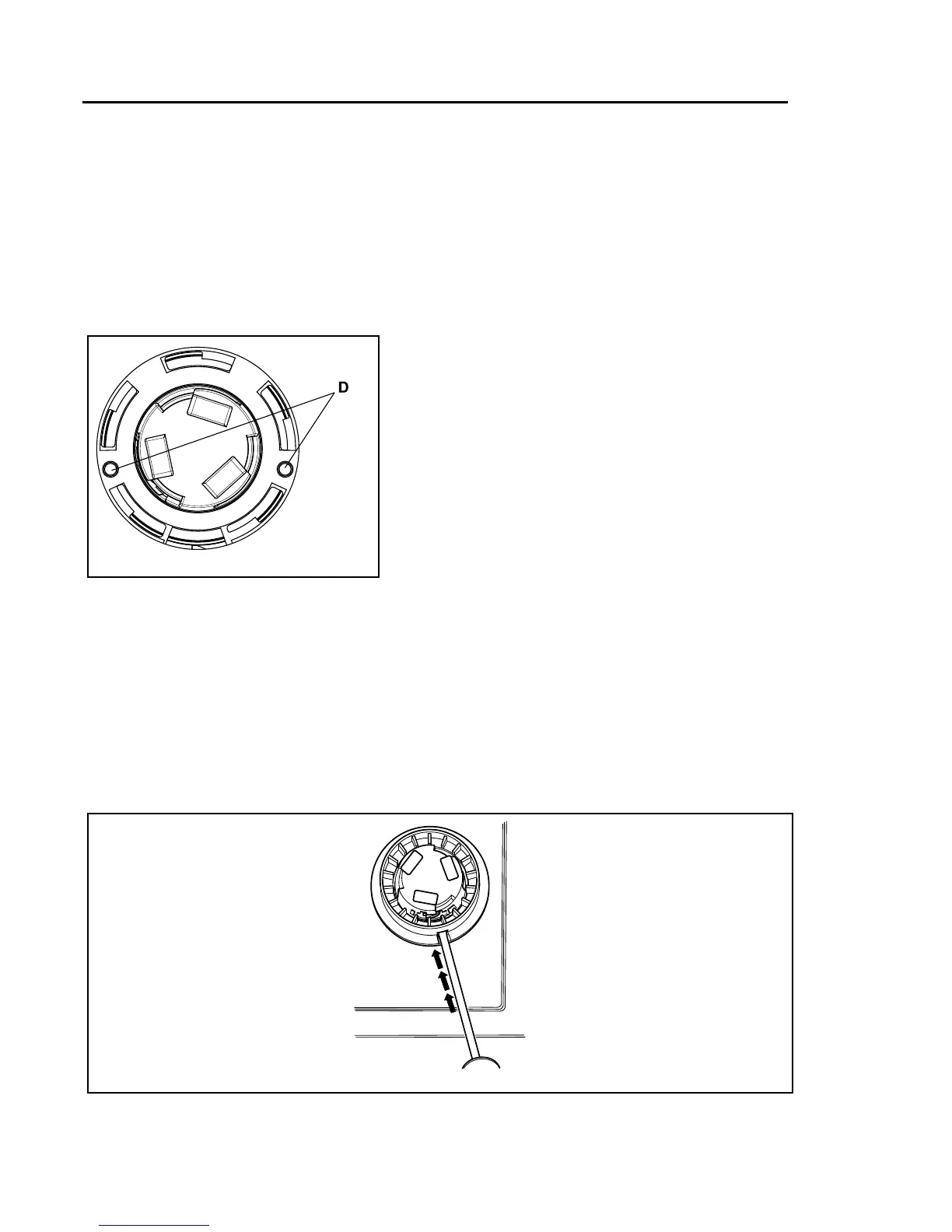
MountthecontrolsystemCPUonthecontrolpanelandmakesurethattheguidepins(D)are
inposition.Fastenthescrewstothepanel.
52
g.7511
Connectthecablesandremountthecover.
Mountthecoverringandthecontrolknob
Mountthecoverringandrotateitclockwiseuntilitisinposition.
Rotatetheinnerknobuntilthelockingdeviceispointingdownwards.
Insertthescrewdriverandpressthelockingdevice.
53
g.7494



 To Next Page