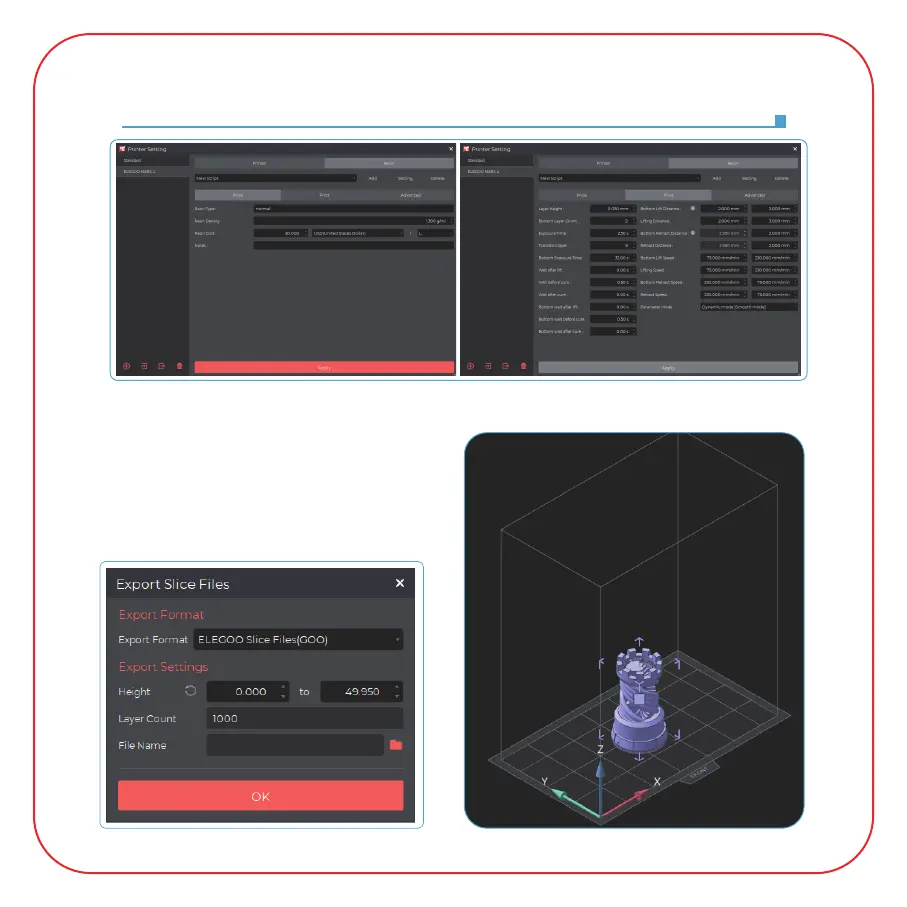
Software Installation and Setup
(Picture 15)
(Picture 14)
4. Save the Model
After setting up all parameters, click "Slice", and
once it's done, click "export sliced files to U Disk
or SD Card"; then insert the U disk or SD card
into your printer, and start printing.
(See Picture 15)
D:/Pre-sliced Test Model.goo









 To Next Page