
 Need help?
Do you have a question about the Elegoo MARS 3 and is the answer not in the manual?
Provides essential safety guidelines, including keeping the printer away from children and avoiding direct skin contact.
Details all the components included in the ELEGOO Mars 3 3D printer package.
Identifies and labels the key physical parts of the ELEGOO Mars 3 3D printer.
Provides detailed technical data including printing parameters, specifications, and physical dimensions.
Guides through the essential process of leveling the build platform for accurate prints.
Details how to fine-tune the Z-axis height based on paper resistance for precise leveling.
Instructions for moving the Z axis and performing a test to verify UV light functionality.
Steps for conducting a print test to ensure the printer is functioning correctly.
Covers washing prints, cleaning the resin tank, and software installation.
Guides on setting up the ChiTu Box software, including model manipulation and printer selection.
Details on configuring resin parameters and key printing settings within the slicing software.
Instructions on slicing models and exporting the prepared files to a U Disk or SD Card.
Addresses common issues like model adhesion, layer breakage, and printer malfunctions.
Provides essential maintenance procedures for Z-axis lubrication, liner care, and cleaning.
Outlines the warranty terms for the equipment, LCD screen, and exclusions.
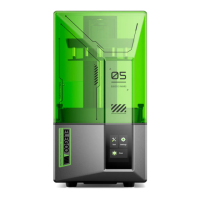
The ELEGOO Mars 3 is a 3D printer designed for creating detailed models using UV photocuring technology. This user manual covers both the Mars 3 and Mars 3 Pro models, with the Mars 3 serving as the primary example.
The ELEGOO Mars 3 is a resin-based 3D printer that utilizes UV light to cure liquid resin layer by layer, forming a solid 3D object. It is suitable for hobbyists, designers, and professionals who require high-resolution prints. The printer operates via a 3.5-inch touchscreen and connects to a computer via USB for file transfer. The core technology involves a UV integrated LED light source with a wavelength of 405nm, which cures the resin on an LCD screen with a high XY resolution. The Z-axis mechanism precisely controls the build platform's movement, allowing for accurate layer thickness. The printer is designed to work with CHITUBOX slicer software, which prepares 3D models for printing by generating individual layers and calculating exposure times.
Before the first use, the printer requires an initial setup process, including unboxing, inspection, and leveling. The leveling process is crucial for successful prints and involves adjusting the build platform's height relative to the 4K LCD screen. This is done by loosening screws, placing an A4 paper between the platform and the screen, moving the Z-axis to zero, pressing the platform down, and then fastening the screws. Fine-tuning the Z-axis height ensures proper adhesion of the first layer. After leveling, a light test is recommended to confirm that the UV lights and 4K screen are functioning correctly, displaying the "ELEGOO TECHNOLOGY www.elegoo.com" image.
For printing, users must wear a face mask and gloves to avoid direct skin contact with the resin. Resin is poured into the resin tank, ensuring it does not exceed the MAX line. The anti-UV cover should be placed over the machine to protect the resin from ambient UV light and maintain a stable printing environment. A USB drive containing the sliced model file (e.g., "Rock.ctb") is then inserted into the printer, and the desired model is selected from the touchscreen interface to start printing. If the resin level becomes low during printing, the process can be paused to add more resin, and then resumed.
The printer is designed to be used indoors, away from direct sunlight and dusty environments, and should be kept away from water or damp conditions. When removing models with sharp edges from the build platform, caution is advised.
The ELEGOO ChiTu Box software is essential for preparing 3D models. It allows users to import .stl files, manipulate the model's position, size, and orientation, and configure printing parameters. Key parameters include layer height (recommended 0.05mm, adjustable from 0.01-0.2mm), bottom layer count (3-6 layers), exposure time (1.5-3s per layer), and bottom exposure time (20-40s). The software also allows setting resin density and cost, providing an estimate of print costs. After setting all parameters, the model is "sliced" and exported to a U Disk or SD Card for transfer to the printer.
Regular maintenance is important for the longevity and performance of the ELEGOO Mars 3. After each print, the resin on the build platform should be allowed to drip off before removing the platform. The printed model is then carefully scraped off the platform. If using standard or ABS-like resin, the model should be washed with 95% (or higher) ethyl alcohol or isopropyl alcohol. For water-washable resin, water can be used.
The resin tank should be cleaned after each print, especially if a print failed, to prevent damage to the printer. Any remaining liquid resin in the tank should be filtered using a funnel and poured back into its sealed bottle if the printer will not be used within 48 hours. This prevents resin from curing prematurely and ensures its reusability. Any residues left on the platform or in the tank should be cleaned with tissues or ethyl alcohol.
The release liner film in the resin tank is a delicate component and should not be scraped with sharp or pointy objects to avoid damage. If the Z-axis starts making friction noises, applying some lubricant can help. When removing the build platform, care must be taken to avoid damaging the 4K LCD screen. The resin tank should also be cleaned thoroughly before switching to a different color of resin to prevent contamination.
The printer comes with a 1-year warranty for equipment damaged by non-human factors, excluding the filament, LCD screen, and FEP release film. The LCD screen specifically has a 6-month non-artificial damage warranty. Personal modification or disassembly of the equipment voids the warranty. For technical support or questions, users can contact ELEGOO via email at 3dp@elegoo.com, Facebook, or Instagram, providing their order ID for better assistance.
 General
| Build Volume | 143 x 89 x 175 mm |
|---|---|
| Z Axis Resolution | 0.00125 mm |
| Layer Thickness | 0.01-0.2 mm |
| Connectivity | USB |
| Print Speed | 30-50 mm/h |
| Material Compatibility | 405nm UV resin |
| Screen Size | 6.6 inches |
| Slicing Software | CHITUBOX |
| XY Resolution | 35 microns |
| Light Source | UV LED |
| Weight | 5.2 kg |
| LCD Resolution | 4098 x 2560 |
| Screen Resolution | 4098 x 2560 pixels |
| Printer Dimensions | 227 mm (L) x 227 mm (W) x 438.5 mm (H) / 8.93 in (L) x 8.93 in (W) x 17.26 in (H) |











 To Next Page