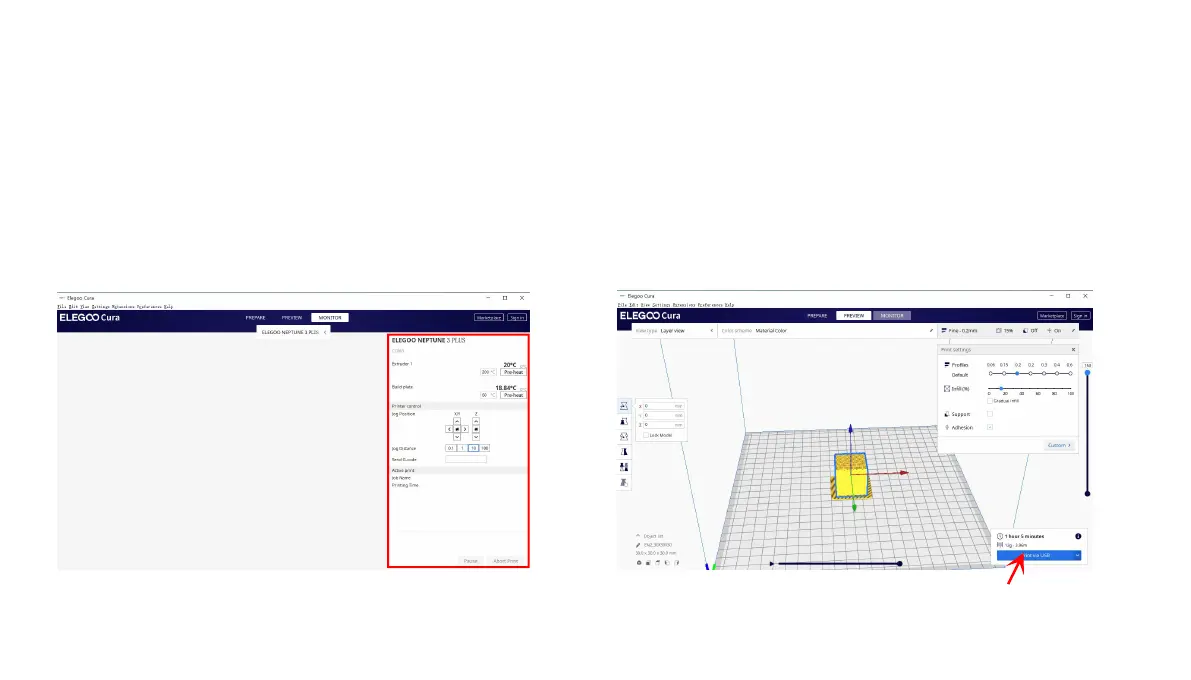
l After the driver installation is complete, reconnect the USB cable, open the ELEGOO slicing software, and then click on
the monitor, if it display the printer model and other information, the computer has been successfully connected.
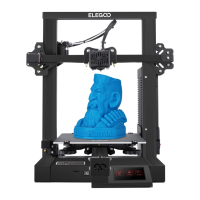
l After importing the model, set the print temperature, layer thickness and other relevant information, and then click on the
【slice】, select the USB online printing.
l The power supply cannot be cut off when printing through the USB cable, and the computer cannot enter sleep and
hibernation modes to prevent data transfer failures.
16












 To Next Page