ELEGOO Support:3dp@elegoo.com
3
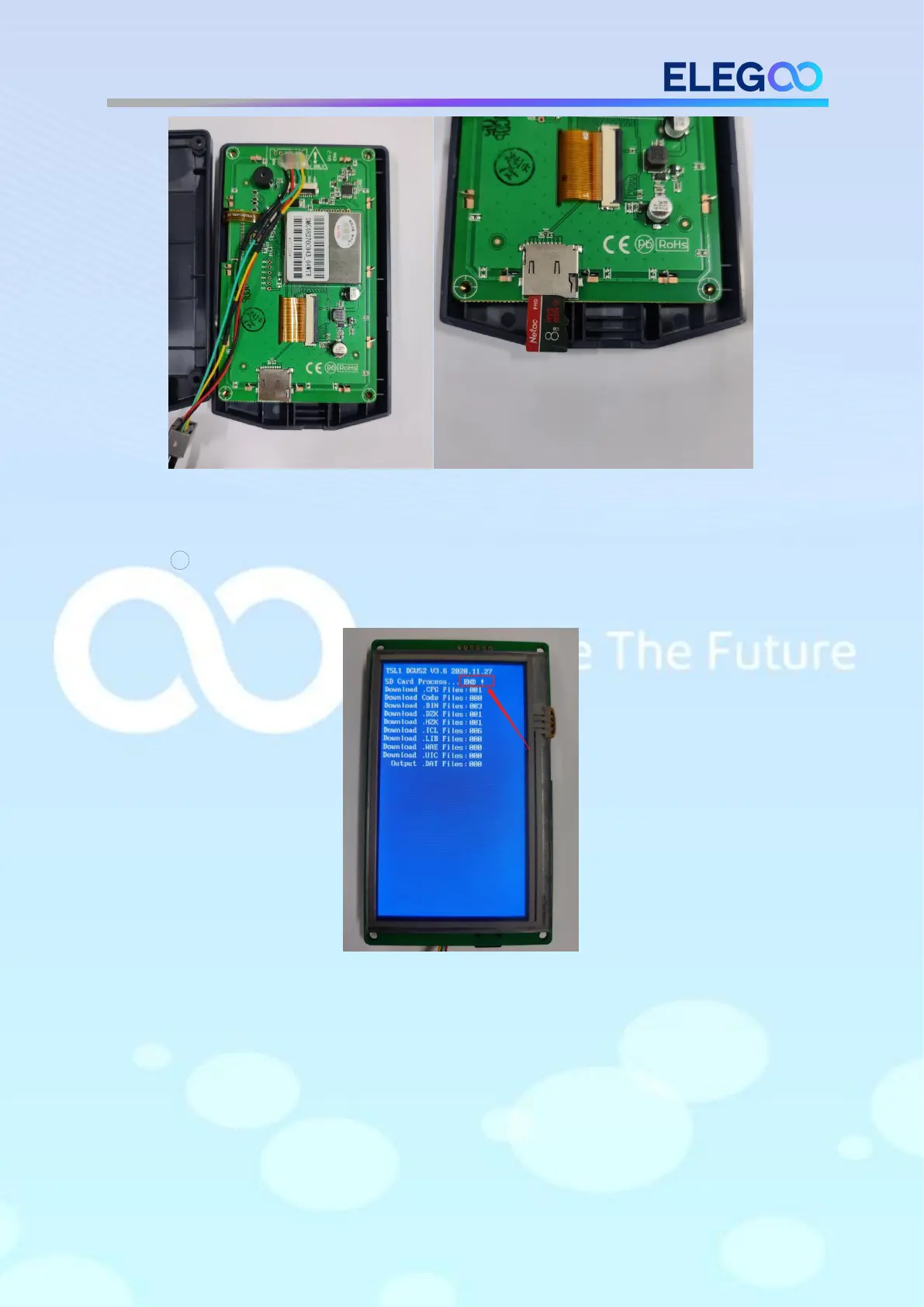
Reboot the power, wait until the firmware finish loading. The interface
shows like below after the firmware loads.(Screen firmware update time: around
70s)
Motherboard firmware update:
Insert the TF card into the machine. Reboot the power, wait until the firmware
finish loading. The interface shows like pic3 when the firmware is loading. It will
enter the interface like pic4 once the firmware is updated.












 To Next Page