EasyManua.ls Logo

Element 900 - Page 90

Element 900
128 pages
Print Icon
To Next Page IconTo Next Page
To Previous Page IconTo Previous Page
Loading...
90
Page
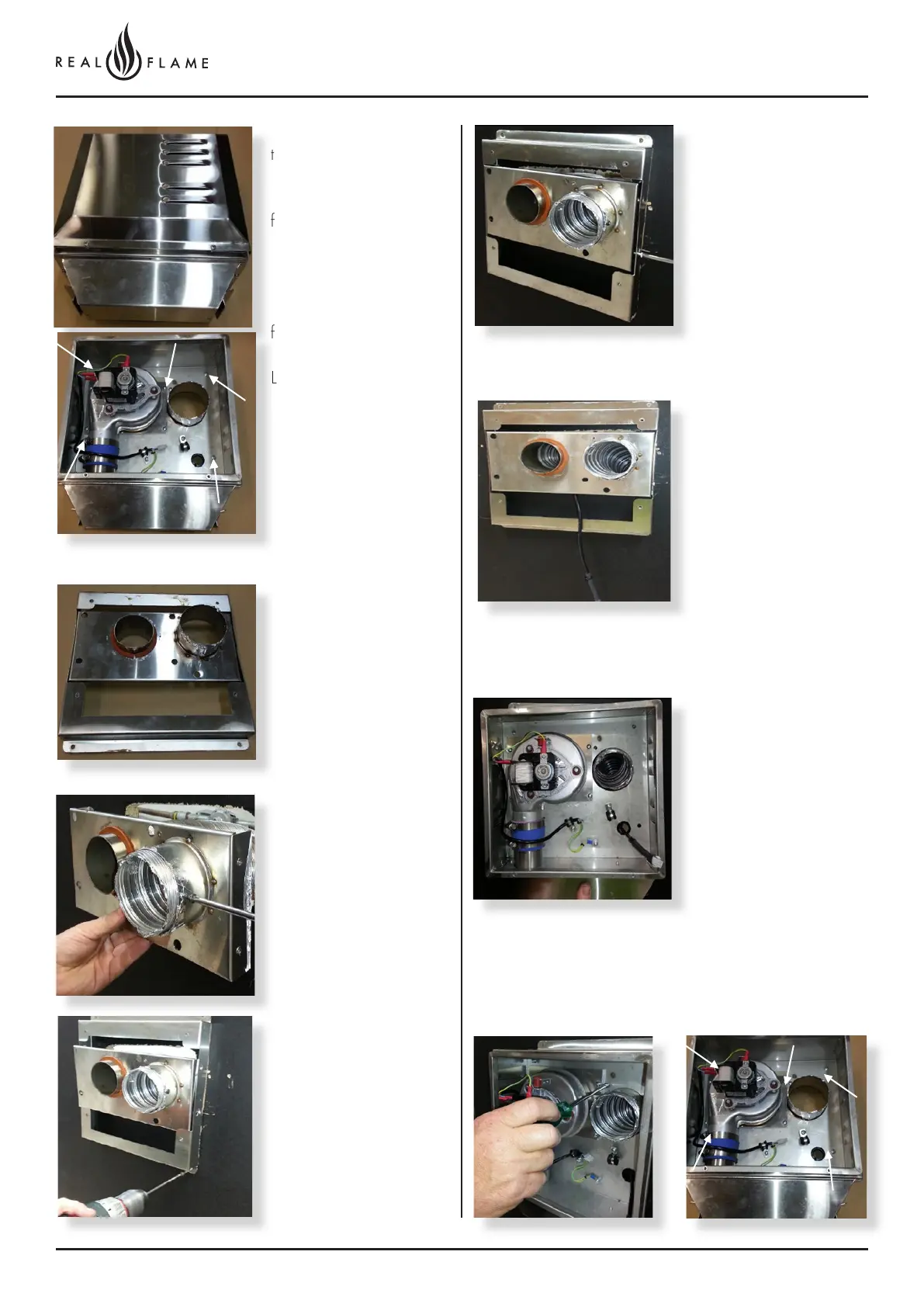
Remove wall mount plate
from flue connection plate.
Push connection plate into
approximate position.
Locate wall mounting
bracket into position and
affix to wall.
Assemble spigot
connection plate assembly
to wall mounting bracket.
(4 screws)
Feed power cable through
bottom area of bracket.
Assemble main body
assembly onto wall
mounting bracket, feed
power cable through
grommet hole prior to
fitting. (refit 5 screws
as shown and tighten)
Main body assembly
must sit flush up against
the mounting bracket and
seal.
Remove cover from fan
terminal
Remove main assembly
from the rear wall
mounting plate assembly.
Remove the 5 screws as
shown. (Do not remove
fan plate screws)
Lift off main fan terminal
assembly.

Table of Contents