RW60 User Manual
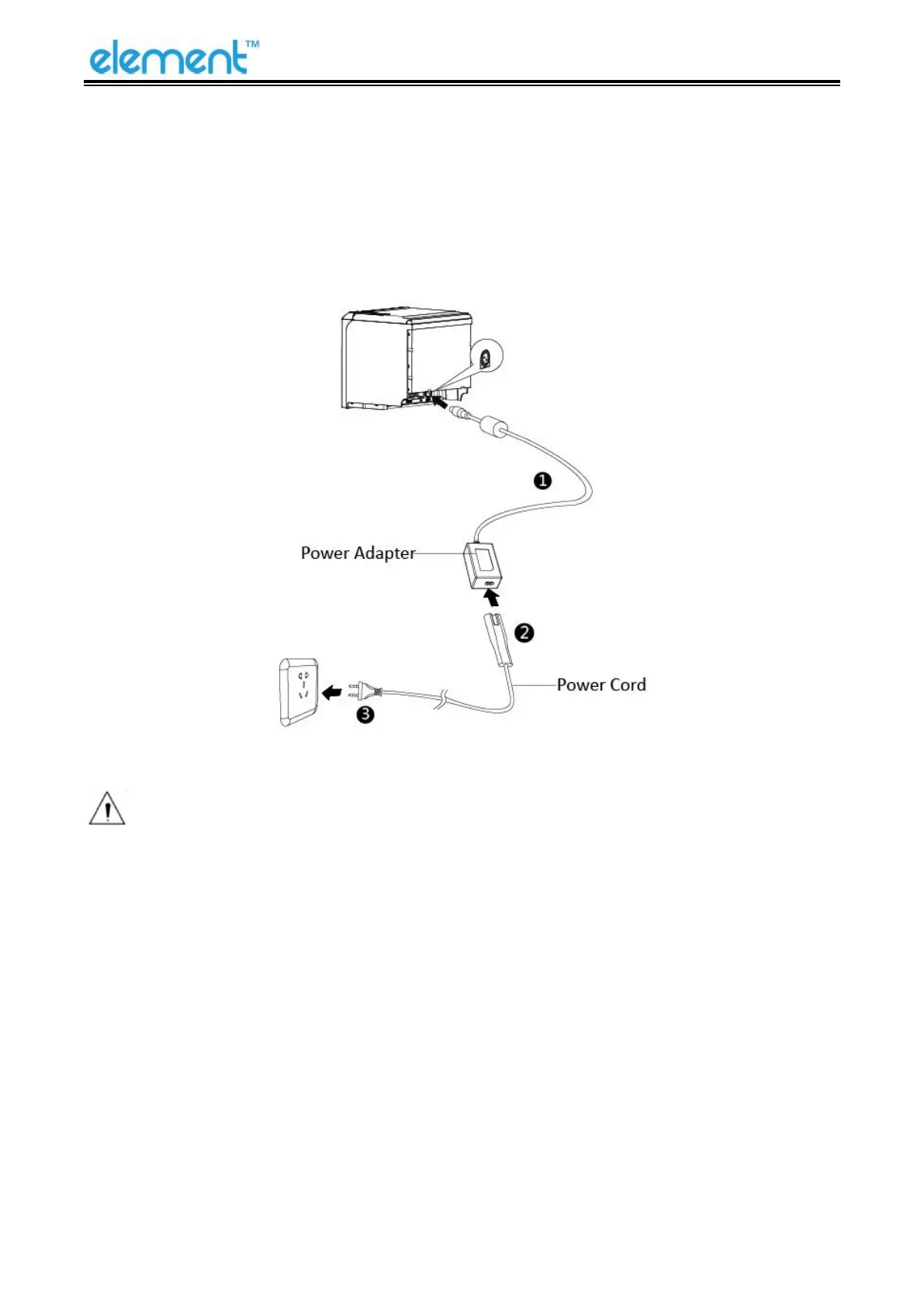
4.3 Power Connection
1) Make sure the printer is turned off.
2) Connect power adapter to printer.
3) Connect power adapter to the power cord.
4) Plug the other side of power cord into the socket outlet.
Notes:
1
)
The Power adapter and power cord vary by region.
2)Disconnect or connect the power adapter by correct method, or damage may be caused.



 To Next Page