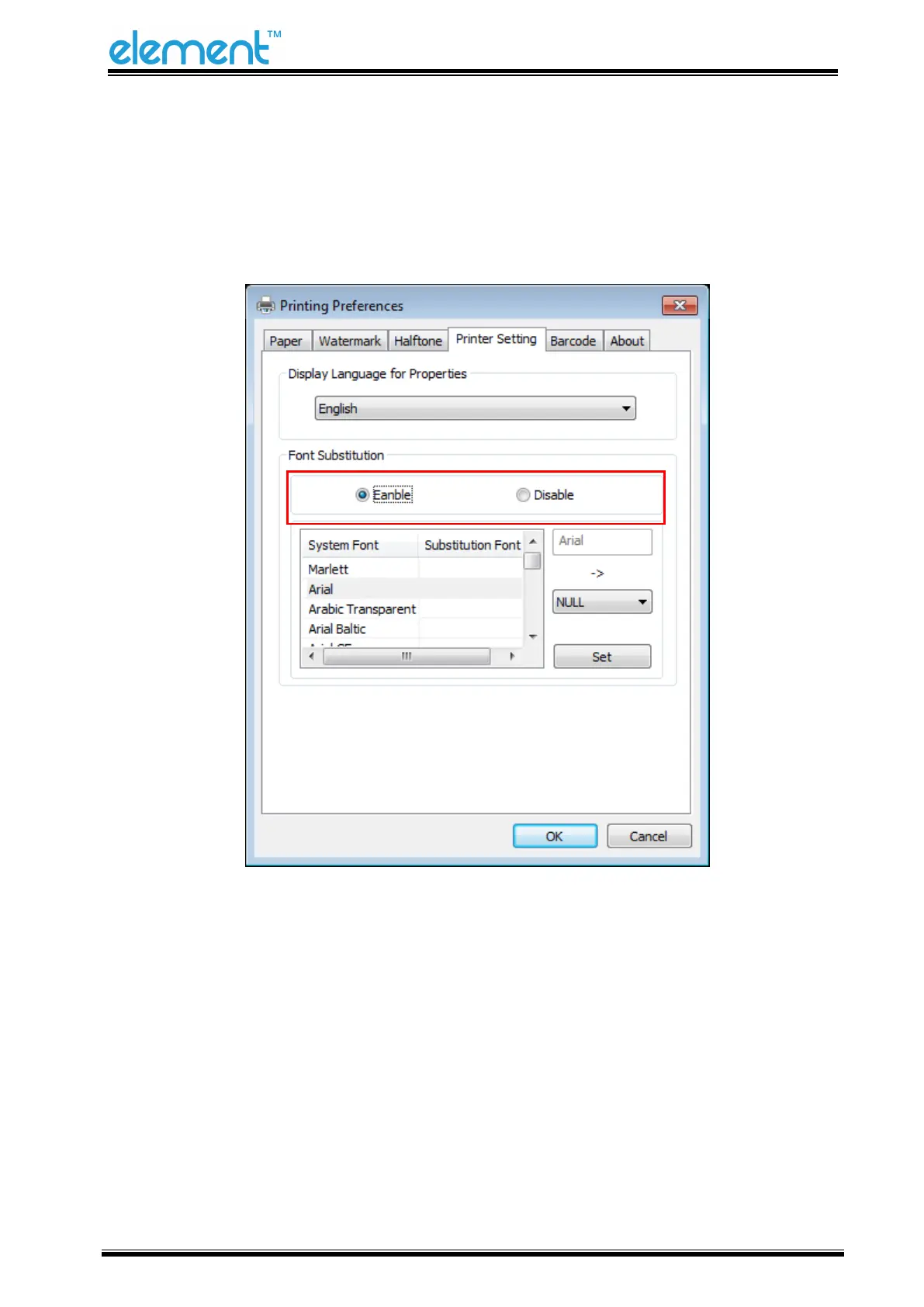
● Turn on the “Font Substitution”, select the system text need to be replaced (for example, Arial),
and then select the font you want to replace (for example, 01) and click Settings, and the
replacement font will display "01".
the steps are as follows:



 To Next Page