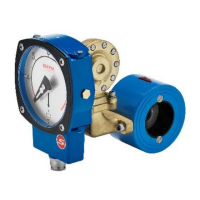
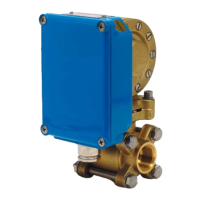
As the Eletta Flow Monitors are not limited to a certain mounting position in
the piping system, the large visible dial can be mounted in several positions to
suit the application. (please refer to fig. 7). If you need to change the orienta-
tion in the field, please do as follows;
Note! Make sure that all electrical connections are set to power off before
starting the following procedure!
Remove the front glass with the four screws that hold it in place. Push the
pointer towards the dial and then upwards until the round hole in the pointer
matches the spindle coming out from the mechanism and then remove the
pointer. Undo the two screws that hold the dial and turn the dial 90° to the des-
ired position and tighten the screws in the predrilled holes. Reinstall the poin-
ter according to the new orientation with the reverse procedure from when it
was removed.
The spindle and the pointer has a square fitting which make s it possible to in-
stall the pointer in four (4) different positions and make sure that you put it
firmly in the right position for your application. When there is no flow
through the Monitor, the pointer shall point to the beginning of the red part of
the scale = zero position.
Note that a change of the mounting direction of the dial also can make it ne-
cessary to change the flow direction selector (see section 3.4).


 To Next Page