elmeg IP630 / en / elmeg IP630 / operating.fm / 8/24/16
Template bintec-elmeg, Version 1, 01.07.2014
11
elmeg IP630
bintec elmeg Getting to know your telephone
During a conversation
Menu navigation
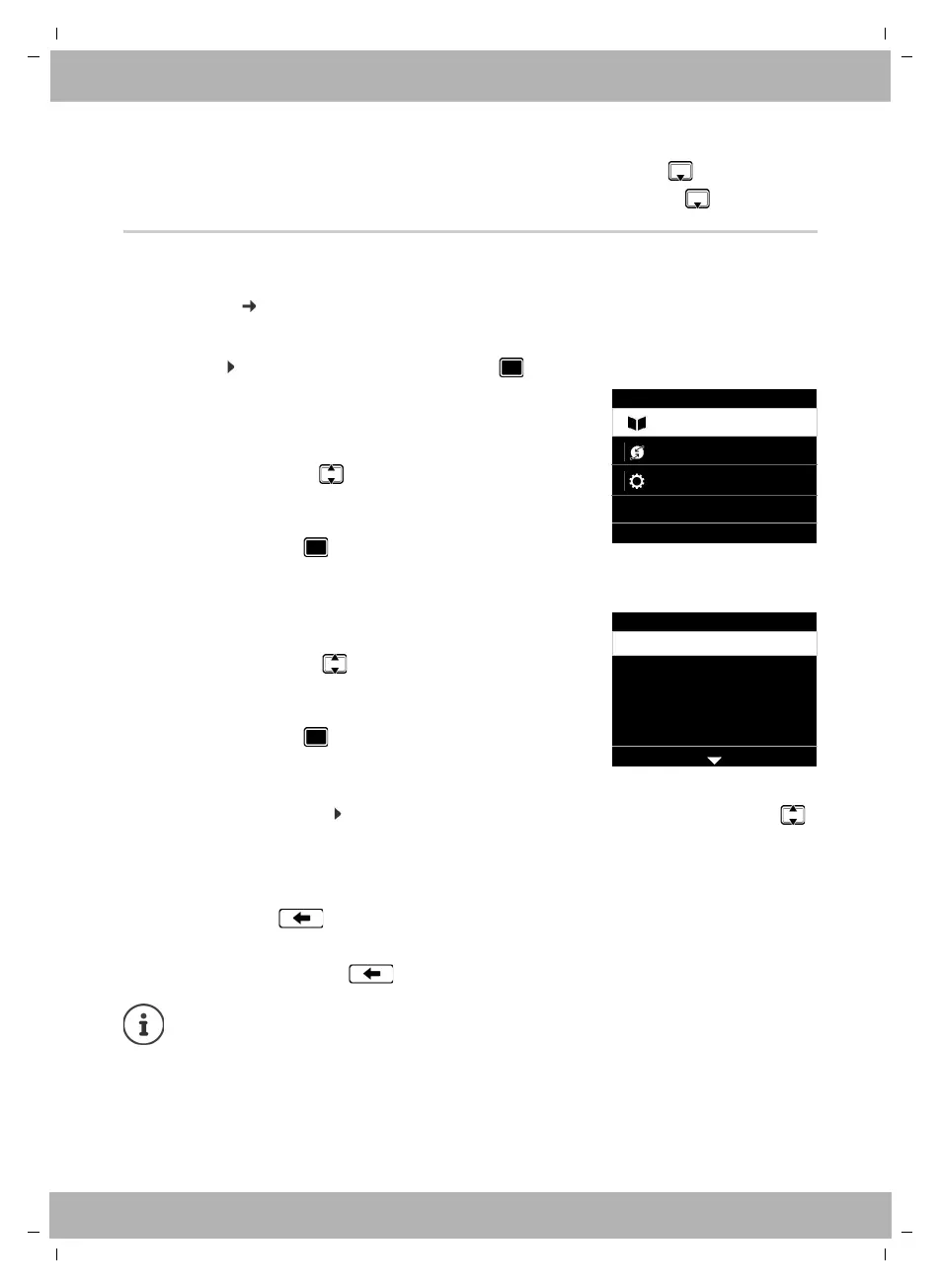
The functions of the telephone are displayed in a menu that consists of several levels.
Menu
overview page 42
Main menu
In idle status: Press the centre of the Control key .
Submenus
If not all the functions can be displayed, arrows are shown below.
Displaying more list entries: . . . scroll in the direction of the arrow with the Control key
Returning to the previous menu level
¤ Press the Display key Back
or
¤ press the End key briefly
Returning to idle status
¤ Press and hold the End key
Open the directory Briefly press
Open the list of available online directories Press and hold
The functions of the display menu are displayed each with
their icon.
The submenu selected is shown inverted.
¤ . . . Use the Control key to select a submenu
¤ Press the Display key OK
or
¤ Press the Control key
The functions in the submenus are displayed as lists. The
selected function is highlighted.
¤ . . . Use the Control key to select a function
¤ Press the Display key OK
or
¤ Press the Control key
If a key is not pressed, after 3 minutes the display will automatically change to idle
status.
Settings which have not been saved or confirmed are rejected.
Menu
OKBack
Settings
Select Services
Contacts
Settings
OKBack
Date + Time
Audio Settings
Display
Language
Local Network



 To Next Page